How to make a top-down adventure like Zelda for the Game Boy Advance with AI
Also in: Español · Deutsch · Français · Português · Italiano · Nederlands · Svenska · Norsk · Bahasa Indonesia · Türkçe · Polski · Tiếng Việt · Русский · 日本語 · 한국어 · 繁體中文
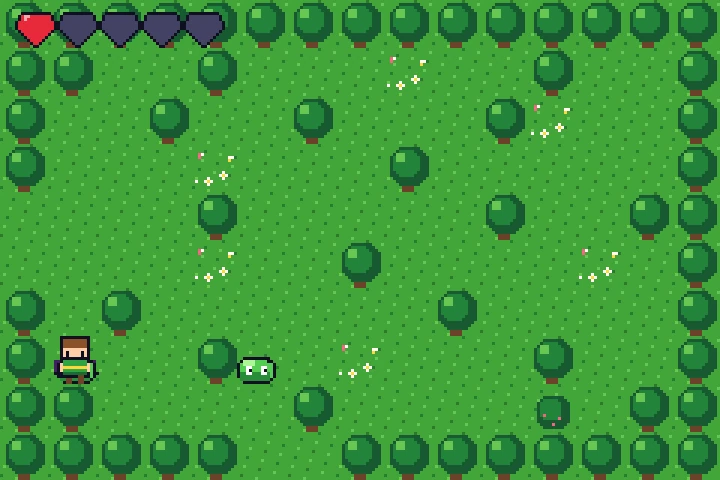
To make a top-down action adventure for the Game Boy Advance with AI, open Shiny Gen, start a new game on the GBA Engine, and describe the adventure in the Agent tab: the hero, the world, the enemies, the dungeon and its key, the boss, the controls and the art. The AI agent draws the art, writes the game, compiles a real GBA cartridge, plays it and fixes what it finds. We did that for this guide: one prompt and two "continue" messages gave Hero of the Slime Cave, with a village, a forest, a lake shore, a cave, a four-room dungeon, a key, a locked door and a splitting slime boss, played by the agent from the title screen to the win screen. It took about 17 minutes of agent time and 168 gems, and the agent said what it had not checked.
The test: three messages, one game
Everything below is from one real session on 23 November 2026, recorded in the Shiny Gen app. The prompts are copied word for word, the AI's messages are quoted from the chat, and the pictures are screenshots of the app or frames drawn by the cartridge. Nothing was edited by hand.
| Message | What we sent | Agent time | Gems |
|---|---|---|---|
| 1 | The game, with the art asked for up front | 8 min 53 s | 10 |
| 2 | "continue" | 5 min 46 s | 95 |
| 3 | "continue" | 2 min 9 s | 63 |
The second message stopped at the per-message gem limit set in the app (100 gems on our account). The agent said so in the chat and offered to carry on:
Step by step: the game we made
1. Start a GBA game
Press +, choose New, then pick GBA Engine on the Choose an engine screen. In a browser, this link opens a new GBA game directly.
2. Describe the adventure, art included
Our first prompt, exactly:
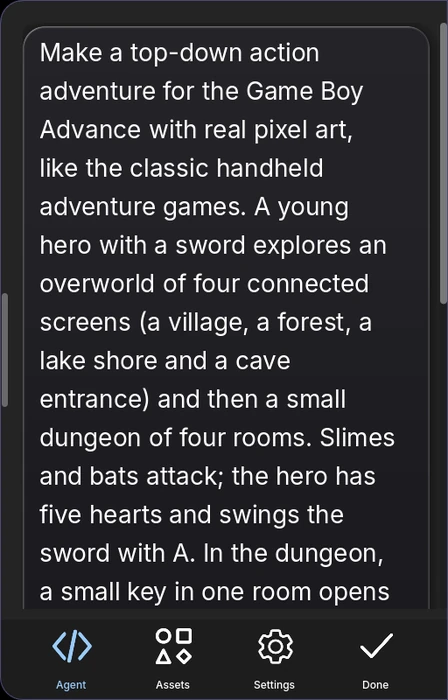
3. The art comes first
The agent drew the tiles and sprites before writing any game code, each as a small image script:
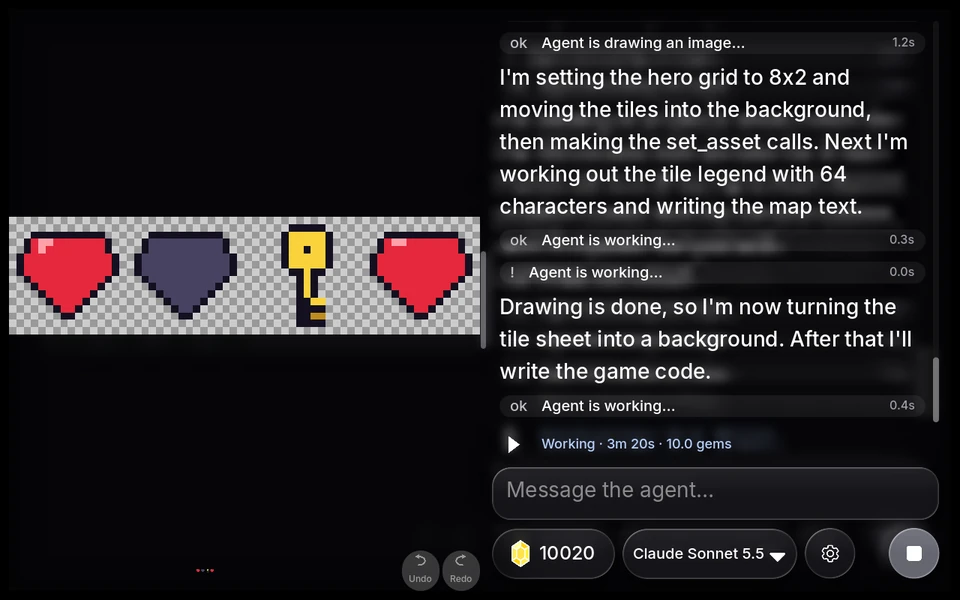
Then it wrote a first playable slice, played it and checked what it saw against the game's own variables. When the slimes vanished, it read the sprite table before changing anything:
4. "continue" when the turn runs out
The first turn ended with a playable hero, slimes, sound and a game over screen, but no hearts, rooms or dungeon yet, and the agent asked which to build next. We sent "continue". In that turn its first map came out scrambled, and it worked out why from the tile layout:
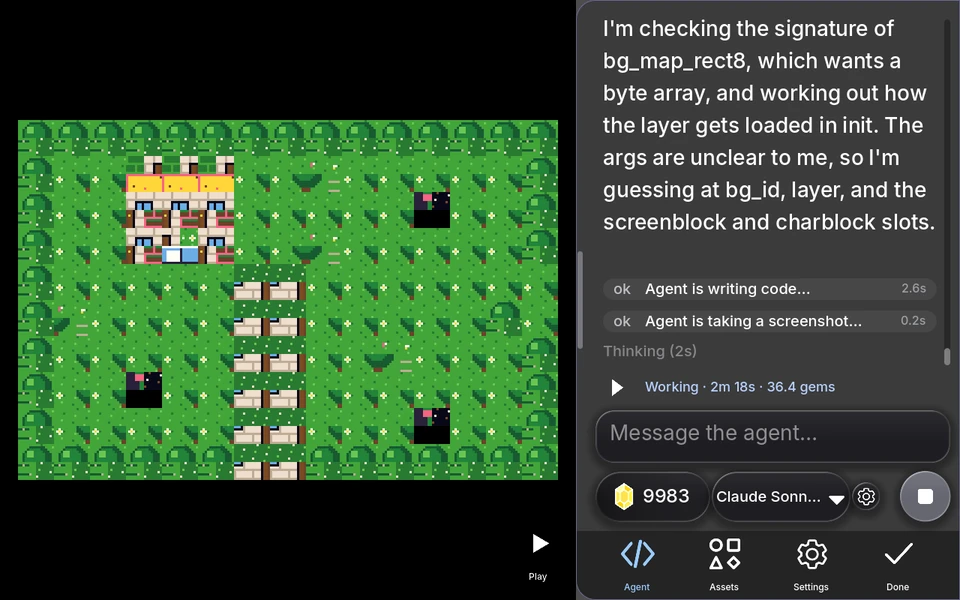
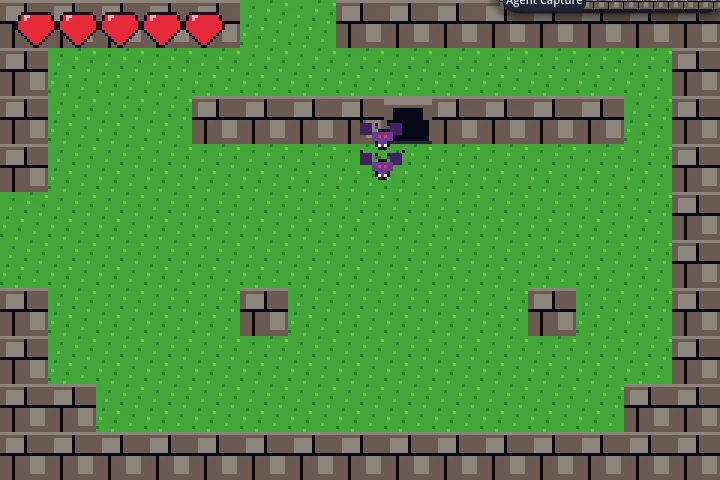
By the end of the second turn the title screen, the hearts, the slimes and bats, the sword frames and the walk from the village into the forest all worked, and the agent listed the rest as written but not played: the lake, the cave, the dungeon and the boss.
5. "continue" again: the dungeon and the boss
The third message was another "continue". This time the agent played through the whole game, room by room:
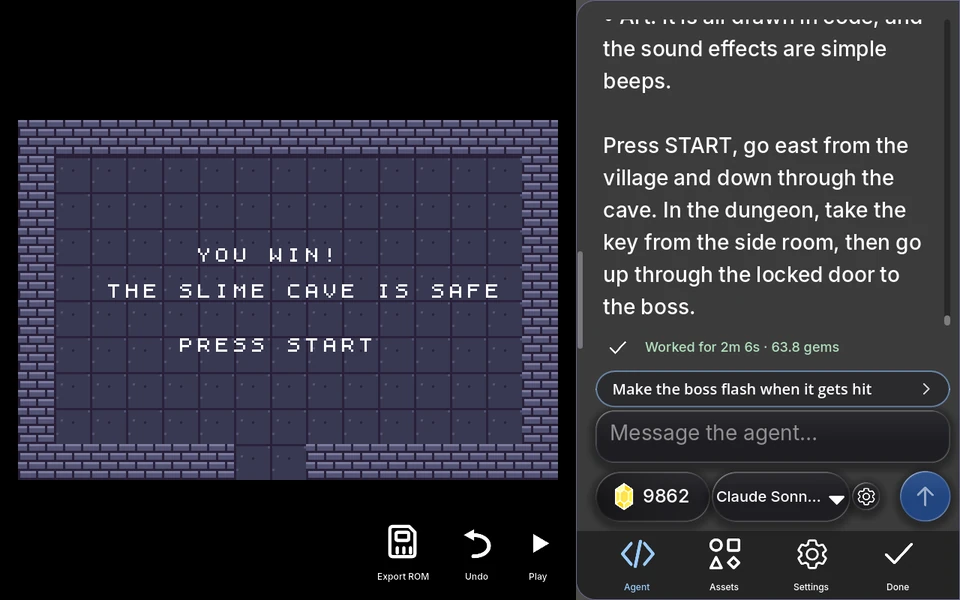
Its summary was honest about how it tested:
That is the moment to play it yourself and tune it: how fast the slimes chase, how many hits the boss takes, how many hearts you have.
6. Play it and download the ROM
The game plays in the editor and from its card: on-screen buttons on a phone, the keyboard or a controller on a computer. Press Share, then Export .gba ROM. Exporting costs $25 per game (a one-time purchase for that game), or comes with a plan, and you can re-export that game any time. The ROM guide covers emulators and flash carts; downloading is the same $25 purchase per game, or comes with a plan.
What we learned from the test
- A whole adventure is several turns. Ours took one prompt and two "continue" messages, and one of them stopped at the per-message gem limit, which the app lets you adjust.
- Read the last message of every turn. The agent said which rooms it had walked through and that it tested the boss with extra health.
- Ask for the art in the first prompt and say "draw the art yourself as code" if you want the agent to draw it.
What to put in an adventure prompt
- The world: how many screens or rooms, what each looks like, how they connect.
- The hero: health, weapon, how attacks work, walking and attack frames.
- Enemies: how each moves and how many hits it takes.
- The dungeon: keys, locked doors, switches, the boss and its pattern.
- Screens: title, pause, game over, win.
- Controls: the GBA has a D-pad, A, B, L, R, Start and Select.
What the GBA can hold
- Screen: 240 x 160 pixels; the rooms here are 15 x 10 tiles of 16 x 16.
- Sprites: up to 128 at once, each up to 64 x 64. The map is background tiles, and sprites are for the hero, enemies and items.
- Colors: palettes of 16 colors.
- Memory: 256 KB of working memory for your game's data.
- Saves: a 128 KB flash save, like a real cartridge. Ask for it: "Save the game when I enter a new room."
Every build reports how full each budget is.
Ideas to ask for next
- "Give the boss a flash when it gets hit."
- "Add coins that enemies drop, and a shop in the village."
- "Add a shield that blocks one hit from the front."
- "Save the game when I enter the dungeon."
- "Make the lake shore a room with a boat to an island."
FAQ
Can AI make a game like Zelda?
Yes, a game in the same genre: a top-down action adventure with a sword, hearts, an overworld, a dungeon with a key and a locked door, and a boss, like the one on this page. Make it your own: your own hero, names, world and art rather than Zelda's, especially if you share or sell your game. The agent designed Hero of the Slime Cave from our description.
Can AI make a GBA game?
Yes. Pick the GBA engine in Shiny Gen and describe the game; the agent writes it, compiles a real Game Boy Advance cartridge, plays it and fixes bugs. This one took three messages, about 17 minutes of agent time and 168 gems.
Is it a real .gba ROM?
Yes. It is a standard .gba cartridge image compiled to ARM machine code. We have played GBA ROMs made this way, saves included, on a Game Boy Advance and a DS Lite through a flash cart, and any GBA emulator opens it.
Do I need to know how to code?
No. You describe the game and the agent writes and tests the code. You can read and edit it in the Code view, and editing it by hand costs nothing.
Is it free?
Making, playing and sharing games is free. The built-in agent and AI generation use gems, and new accounts get free gems. Downloading the ROM is a $25 purchase per game, or comes with a plan. See the pricing page.