How to make a real Game Boy Advance game with AI (and play it on real hardware)
To make a Game Boy Advance game with AI, open Shiny Gen (in a browser at shinygen.ai/play, or the app on iPhone, iPad and Android), start a new game, pick the GBA Engine, and describe the game you want. Its AI agent writes the game, compiles it into a real GBA cartridge, plays it to find and fix bugs, and you download the .gba ROM, which needs any one purchase, from a $2.99 starter pack. The ROM runs in GBA emulators and on a real Game Boy Advance through a flash cart.
This guide walks through it step by step, then covers what kinds of games work well, the honest limits, and the questions people ask most.
What the GBA engine is
The GBA engine is an engine we wrote that compiles new games from your prompt. It is not an emulator and not a ROM loader: the GBA, GBC, N64, GameCube and DS engines compile games you make in Shiny Gen, and cannot play commercial or third-party ROMs.
Your game is written in a small C-like language (the file is main.sgba). Shiny Gen compiles it to ARM machine code on your own device, packs your art and sound into the cartridge, and plays that cartridge. There is no separate preview build: the game you play in the app is the cartridge itself.
What you need
- A modern browser, or the Shiny Gen app from the App Store or Google Play.
- A free Shiny Gen account. New accounts start with free gems, which is what the AI spends.
- To download the ROM: any one purchase, from a $2.99 starter pack.
- To play on real hardware: a Game Boy Advance and a GBA flash cart. Emulators need nothing else.
Step by step
1. Start a new game and choose the GBA engine
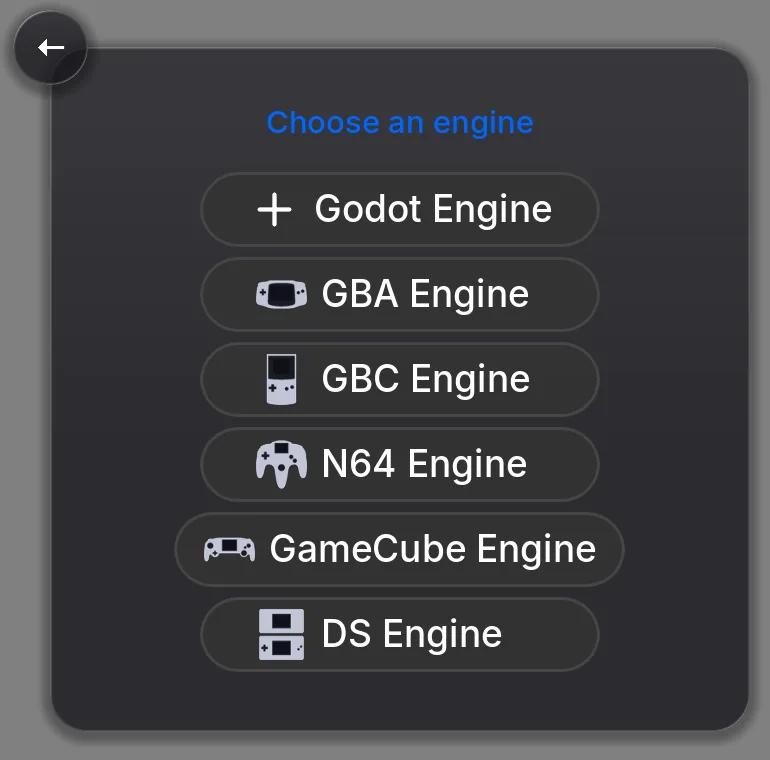
Press the + button. Under In-app agent, choose New. The next screen asks you to Choose an engine: pick GBA Engine.
A new GBA game opens in the editor. It starts as a blank cartridge on purpose, with an empty init() (runs once) and frame() (runs sixty times a second), so the agent builds what you describe rather than editing a template you did not ask for.
2. Describe the game
Open the Agent tab at the bottom of the editor and type what you want in its Chat view. A useful first message says what kind of game it is, what the player does, the controls (the GBA has a D-pad, A, B, L, R, Start and Select), the goal, and the look.
For example: "Make a top-down adventure on the GBA. A fox explores a forest, talks to villagers in text boxes, and collects five lanterns. D-pad to move, A to talk, Start to pause. Save progress when the player rests at a campfire."
The button beside the composer picks the model, and the built-in agent is billed by actual usage in gems.
3. Watch the agent build it and test it
The agent knows it is working on a cartridge. It reads the language reference for the GBA, writes the code, and builds it. If the build fails, the compiler says what and where (line, column and what to write instead), and the agent fixes it. Then it plays the game itself:
- Runs the cartridge and reads the build report, including how full the cartridge is.
- Takes screenshots of the 240 x 160 screen to check what is actually drawn.
- Presses the keypad (A, B, L, R, Start, Select and the D-pad) to play what it built.
- Reads back values the game reports, so it can tell that the hero moved or the score went up rather than guessing.
- Fixes what is broken and goes again.
It can also make the art and sound: sprites, backgrounds and music, which go into the cartridge by name. Generating assets spends gems.
4. Change it by talking to it
When the first version runs, keep going in the same chat. Small, specific requests work best: "Add a title screen", "Make the second area a cave with darker colors", "The text box stays open after I walk away; close it." Say what you saw rather than guessing at the cause; the agent can reproduce it by playing the game.
You can also open the Code view and edit main.sgba yourself. Editing code by hand costs nothing, and a build swaps the new cartridge in without losing your save.
5. Play it in the app
The game plays right in the editor and from your game's card. On a phone or tablet the controls are on screen: a D-pad on the left, A and B on the right, and L, R, Start and Select around them. On a computer, the keyboard plays it: arrow keys, Z for A, X for B, A and S for L and R, Enter for Start and Shift for Select. A game controller works too, and you can remap its buttons in the controller settings.
The game saves to its own battery save, the way a cartridge does, so you can leave and come back where you were.
6. Download the ROM
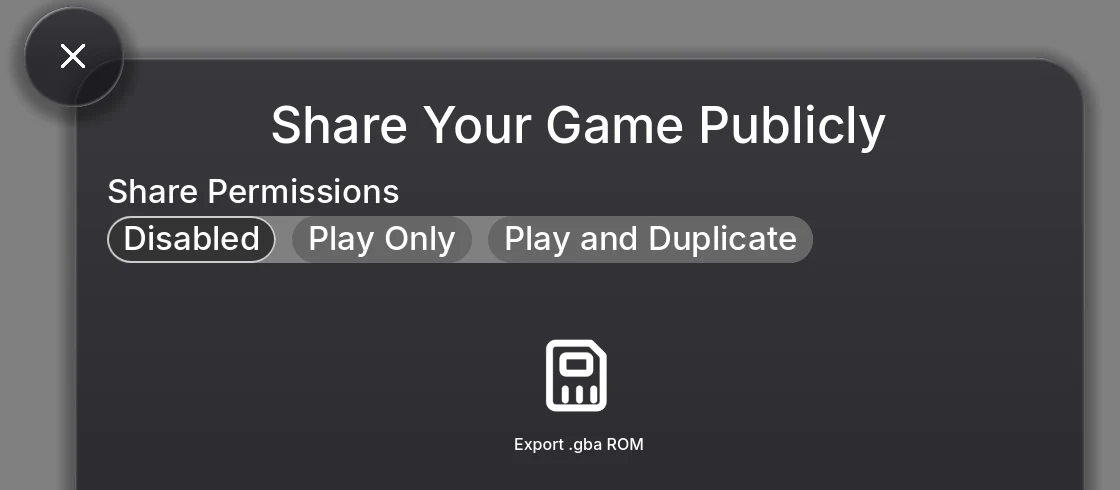
Press Share, then Export .gba ROM. Exporting needs any one purchase, from a $2.99 starter pack; the button is shown to every owner, and without a purchase it takes you to the store instead. The button is there for games you own.
Before it hands you the file, Shiny Gen rebuilds the cartridge if anything changed, then boots it in a fresh emulator and checks that it comes up. You get a .gba file named after your game. The ROM opens on a short Shiny Gen splash screen, and it does not include your save, so a copy you hand to someone starts fresh.
Where the file goes depends on the device: a normal download in a browser, and the Save to Files sheet in the iPhone and iPad app. The Android app cannot save the file yet; open the game at shinygen.ai in a browser on your phone or computer to download it, which needs the same one purchase.
7. Play it on real hardware
A flash cart is a GBA cartridge with a memory card slot instead of one fixed game. You copy ROM files onto the card, and the cart shows a menu of them when the console turns on. We have played ROMs made this way on a real Game Boy Advance and a Nintendo DS Lite, saves included.
The general steps (your cart's manual has the exact ones):
- Copy the
.gbafile onto the cart's SD or microSD card. Some carts also need their own system files on the card first. - Put the card in the cart and the cart in the Game Boy Advance.
- Turn it on and pick your game from the cart's menu.
Some carts ask for a save type for each game. Our ROMs use 128 KB (1 Mbit) flash saves and say so inside the ROM, which is how flash carts and emulators usually detect it on their own. If your cart asks, choose 128 KB or 1M flash. Saves then work on the cart the way they do on an original cartridge.
To play without hardware, any GBA emulator can open the file: for example mGBA on a computer, or Delta on an iPhone.
What kinds of games work well
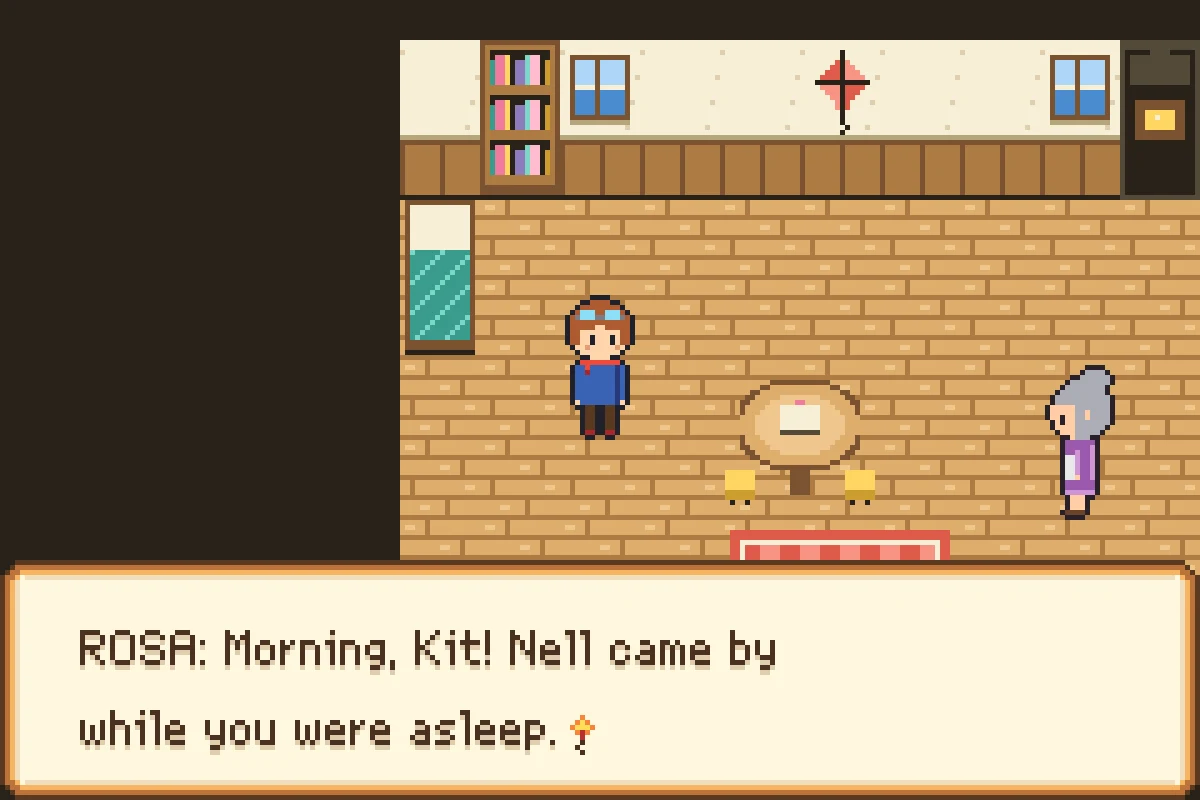
The GBA games in our catalogue show the range. You can play all of them free in the browser, and remix any of them into your own copy to change with the agent:
- Monster-collecting RPGs: Shiny Monsters Advance, with a town, text boxes and monster matches. It trades and battles monsters with the other Shiny Monsters games over the internet.
- Racing with a rotating "Mode 7" floor: Shiny Kart Advance, eight racers on three courses.
- Arcade: Shiny Pinball, a space pinball table.
- Action and survival: Shiny Swarm, where weapons fire on their own and you hold out against waves.
- Small, calm games: Spark Garden and Ember Courier.
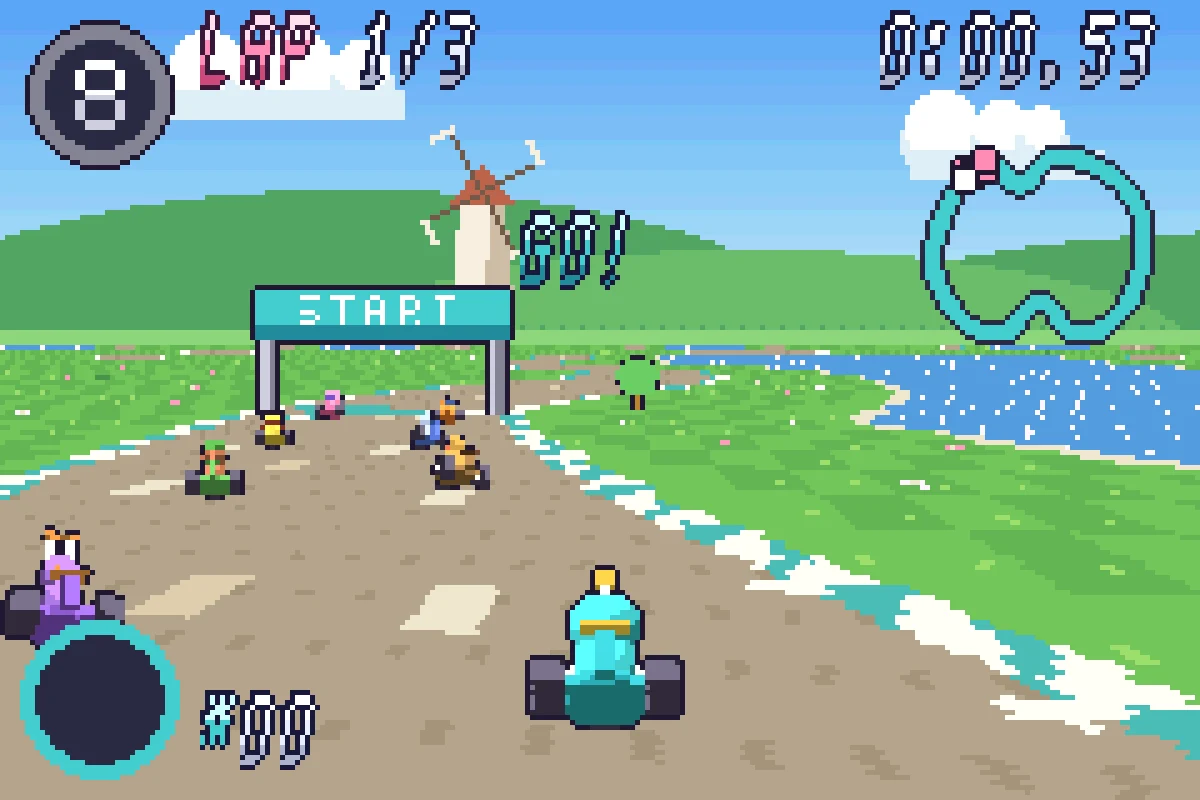
In general, games that suit the machine work best: top-down adventures and RPGs, platformers, puzzle games, shooters, racing on a rotating floor, and anything built from tiles and sprites. The engine supports scrolling layers, sprites that rotate and scale, see-through effects, text boxes, music and sound effects.
Limits
The GBA engine is bounded the way the real machine is, and a few things are not built yet:
- The machine's own limits. A 240 x 160 screen; up to 128 sprites at once, each at most 64 x 64 pixels; colors in palettes of 16; 256 KB of working memory for your game's data. There is no floating point, so positions use fixed-point numbers. Every build reports how full each budget is, so you see a limit coming before you hit it.
- No 3D. A GBA draws 2D tiles and sprites. The "Mode 7" floor gives racing games a 3D look, but it is a rotated and scaled 2D picture.
- New games only. It cannot open or play a ROM someone else made, and you cannot import a ROM to edit.
- No link cable on hardware yet. Trading and battles between the Shiny Monsters games work over the internet inside Shiny Gen. Playing over a real link cable between two consoles is not proven, so we do not claim it.
- Saves stay with you. The ROM does not carry your progress, and Shiny Gen keeps your in-app save in your account.
- Downloading needs a purchase, and the Android app cannot save the file yet. Exporting the ROM needs any one purchase, from $2.99; on Android, download it from a browser.
The other retro engines
GBA is one of five retro engines we wrote, and they all work the same way: pick the engine, describe the game, and the agent builds and tests it. GBC makes a Game Boy Color ROM, N64 an N64 ROM, GameCube a .dol file and DS a two-screen .nds file, and exporting any of them needs the same one purchase, from $2.99. If you want a modern 2D or 3D game instead, the Godot engine is the sixth choice on the same screen. See how Shiny Gen compares with other AI game makers.
FAQ
Can AI make a Game Boy Advance game?
Yes. In Shiny Gen you choose the GBA engine and describe the game; the AI agent writes the code, compiles a real GBA cartridge, plays it with the keypad to find bugs, and fixes them. You can download the .gba ROM after any one purchase, from $2.99.
Is it a real GBA ROM?
Yes. It is a standard .gba cartridge image, compiled to ARM machine code, with a valid cartridge header. Shiny Gen boots every ROM in a fresh emulator before handing it over, and we have played these ROMs, saves included, on a real Game Boy Advance and a DS Lite through a flash cart.
Can it play Pokemon or other commercial ROMs?
No. The GBA engine is not an emulator and not a ROM loader. It compiles new games you make in Shiny Gen and cannot play commercial or third-party ROMs.
Do I need to know how to code?
No. You describe the game and the agent writes and tests the code. If you want to, you can read and edit the code in the Code view; editing it by hand costs nothing.
Can I sell a GBA game I made?
Yes. You own what you make, and Shiny Gen takes no revenue share (Terms of Service, section 4). You can sell the ROM file itself; exporting it needs any one purchase, from $2.99.
Which devices does the ROM work on?
GBA emulators, such as mGBA on a computer or Delta on an iPhone, and real hardware through a flash cart. We have tested it on a Game Boy Advance and a Nintendo DS Lite, saves included, and it should work on any console or handheld that plays GBA cartridges, such as the Game Boy Advance SP.
What save type should I pick on my flash cart?
128 KB (1 Mbit) flash. The ROM declares it, so carts and emulators usually pick it up without asking.
Is it free?
Making, playing and sharing games is free. AI generation and the built-in agent use gems, and new accounts get free gems. Downloading the ROM needs any one purchase, from a $2.99 starter pack. The full list is on the pricing page.