The best AI tools for making retro console games in 2026 (Game Boy, GBA, N64)
Also in: Español · Deutsch · Français · Português · Italiano · Nederlands · Svenska · Norsk · Bahasa Indonesia · Türkçe · Polski · Tiếng Việt · Русский · 日本語 · 한국어 · 繁體中文
To make a real retro console game with AI in 2026, the tool that covers the most consoles is Shiny Gen: describe a game and it compiles a Game Boy Color, Game Boy Advance or N64 ROM, plays it to fix bugs, and the file runs in emulators and on real hardware through a flash cart. For Game Boy Color only, the ModRetro Chromatic Plugin for OpenAI Codex makes GB Studio or C projects on your computer. GB Studio itself is the classic no-code Game Boy maker, with no AI built in. Most other "AI game makers" make retro-looking browser games, not ROMs.
First: a real retro game, or a retro look?
Many AI game makers can draw pixel art and make a game that looks like a Game Boy game. That is not the same as a game the console can run. A real retro game is a ROM: a file such as .gbc, .gba or .z64 that a console, an emulator or a flash cart loads. To be real it has to fit the machine: a Game Boy Color game keeps to a 160 x 144 screen and small color palettes, and a GBA game to 240 x 160 pixels and 128 sprites.
This list only counts tools that produce a ROM, plus the coding route that can. Three questions decide between them:
- Which console? Game Boy Color, Game Boy Advance or N64.
- Should the AI make the whole game, or help while you build it?
- Where do you want to work: a browser or phone, or a project folder on your computer?
The tools at a glance
| Tool | Consoles | AI makes the whole game | Where you work | What you get | Real hardware |
|---|---|---|---|---|---|
| Shiny Gen | GBC, GBA, N64 (plus GameCube and DS files) | Yes, and it plays and fixes it | Browser, iPhone, iPad, Android | A ROM; downloading costs $25 per game, or comes with a plan | GBA, GBC and N64 ROMs played on real consoles through flash carts |
| ModRetro Chromatic Plugin for OpenAI Codex | Game Boy Color | Yes, in Codex | ChatGPT desktop app with a project folder | A GB Studio, GBDK or assembly project and its ROM | Installs on a ModRetro Chromatic over USB |
| GB Studio | Game Boy, Game Boy Color | No AI built in | Desktop app for Windows, Mac and Linux | A project and its ROM, or a web build | ROMs run on real Game Boy hardware |
| Cursor or Claude Code with a homebrew toolchain | Any console with a C toolchain, such as GBDK for Game Boy | No, it writes code you build and test | Your computer | Your own C project and ROM | Yes, if you build and test it right |
Shiny Gen
Best for: a real Game Boy Color, Game Boy Advance or N64 game made from a description, with nothing to install, on a computer or a phone.
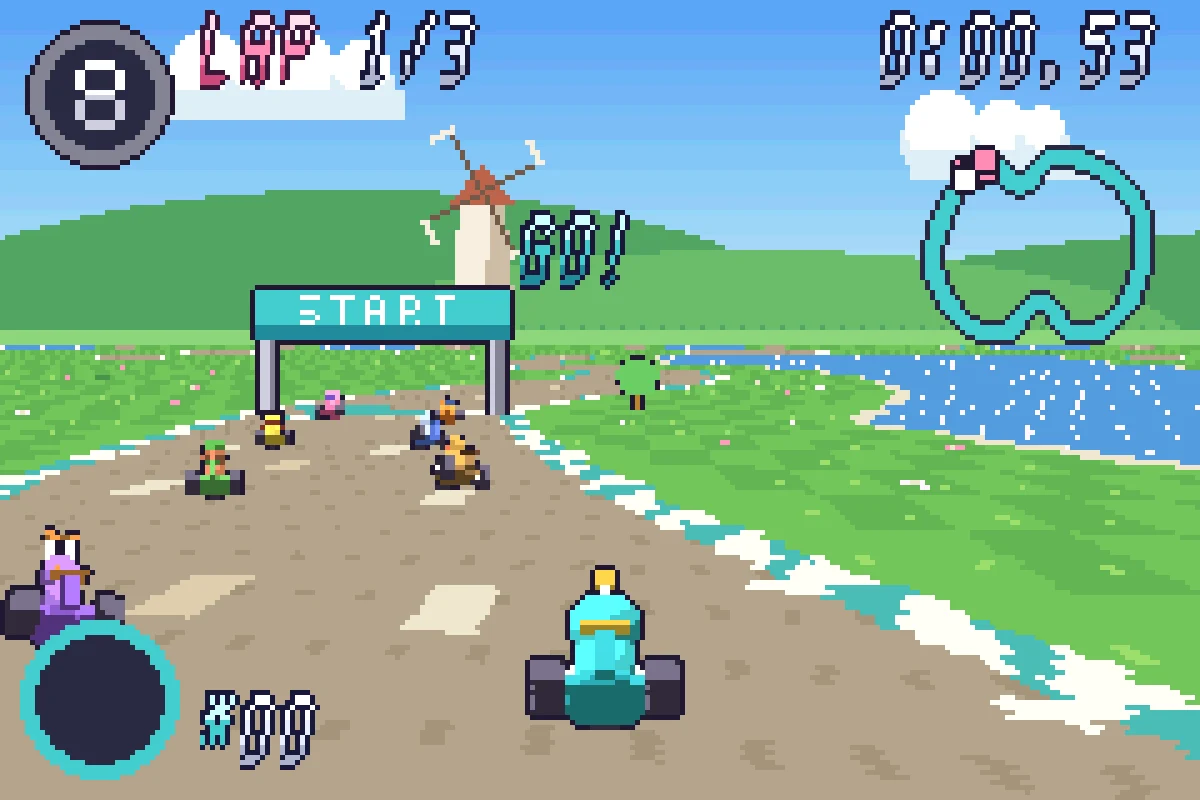
Shiny Gen has five retro engines we wrote (GBC, GBA, N64, GameCube and DS) beside the Godot engine. You press +, choose New, pick an engine and describe the game in the Agent tab. The agent writes the game in a small C-like language, compiles it into a cartridge inside the app, then plays it: it presses the buttons, takes screenshots, reads values the game reports and fixes what is broken. It also makes the sprites, backgrounds, music and sound effects, which uses gems.
- The console's limits hold on every build, and each build reports how full the cartridge is, so what plays in the app is exactly what the cartridge does.
- Files: a
.gbc,.gbaor.z64ROM, a GameCube.dolor a DS.nds. Exporting costs $25 per game, or comes with a plan (1 new export game a month with Plus, 5 with Pro, unlimited with Max), and you can re-export that game any time. - Hardware: we have played our GBA ROMs, saves included, on a Game Boy Advance and a DS Lite, our GBC ROMs on a Game Boy Advance and a ModRetro Chromatic, and our N64 ROMs on a real N64, each through a flash cart. The GameCube and DS files are for emulators.
- Not an emulator. The engines compile new games you make; they cannot open or play commercial ROMs.
The trade-off: a Shiny Gen game is written in its own language, so it is not a GB Studio project or a GBDK project you can open elsewhere. Making, playing and sharing are free; new accounts get free gems. Guides: Game Boy Color, GBA, N64.
ModRetro Chromatic Plugin for OpenAI Codex
Best for: developers who already use Codex and want a Game Boy Color project on their own computer, installed on a ModRetro Chromatic.
The plugin, by OpenAI and ModRetro, runs in Codex in the ChatGPT desktop app. You describe a game and Codex builds it as a GB Studio project, as C with GBDK-2020, or in assembly with RGBDS, checking for missing build tools on your computer. It can make sprite sheets, edit collision maps, run the ROM and playtest it by sending button presses and showing the frames side by side. To install a game on a Chromatic you need a compatible rewritable cartridge, a USB data cable and Developer Mode; installing erases the game on that cartridge and can erase its saves.
It is the better pick when you want a GB Studio project to keep editing by hand. It covers the Game Boy Color, not the GBA or N64. Our side-by-side: Shiny Gen vs the ModRetro Chromatic plugin.
GB Studio
Best for: making a Game Boy game yourself, without code, in a mature editor with a large community.
GB Studio is a drag-and-drop retro game creator for Windows, Mac and Linux. You build scenes, actors and events with visual scripting, and advanced users can reach the engine's virtual machine or change its C and assembly through plugins. Its color modes (Color + Monochrome, or Color Only) make Game Boy Color games. It makes ROM files that run in an emulator, on a web page or on real Game Boy hardware, and it can also make a web build to upload to itch.io. It has no AI of its own: you design every scene and event, which many people prefer. It downloads from itch.io, and the project is supported through Patreon.
Cursor or Claude Code with a homebrew toolchain
Best for: programmers who want full control of a C project for the Game Boy, GBA or N64.
A coding assistant can write homebrew code for any console with an open-source C toolchain, such as GBDK for the Game Boy. You install the toolchain and an emulator, ask the assistant for code, build it, run it and paste the errors back. It is the most flexible route and the slowest: the assistant cannot see the screen unless you set that up, the art and sound are yours to make, and every console limit is yours to respect. Cursor has a free plan; Claude Code comes with Claude's paid plans, from $20 a month ($17 billed yearly).
Tools that make a retro look, not a ROM
General AI game makers such as Rosebud, SEELE and Astrocade can make pixel-art games that play in a browser or on their own platforms. They are good for a retro-styled web game, but none of their pages, checked on 23 November 2026, offers a Game Boy, GBA or N64 ROM. See the best AI game makers in 2026 for what each of them is best at.
For art only, our free converters turn any picture into sprites with the console's own palettes, in the browser and with no account: the Game Boy Color sprite converter and the GBA sprite converter.
Which one should you pick?
- You want a GBA or N64 game from a description: Shiny Gen. It is the only tool we found that makes either from a prompt.
- You want a Game Boy Color game without installing anything, or on your phone: Shiny Gen.
- You want a GB Studio project on your computer, built by AI, for a Chromatic: the ModRetro Chromatic plugin for Codex.
- You want to make every scene yourself without code: GB Studio.
- You are a programmer who wants a C project you control: a coding assistant with a homebrew toolchain.
Whichever you choose, the proof is the same: load the ROM in an emulator such as mGBA for Game Boy and GBA, or ares for N64, and then on a flash cart in a real console. The ROM guide covers both; downloading a Shiny Gen ROM costs $25 per game, or comes with a plan.
FAQ
What is the best AI tool for making Game Boy games?
For a Game Boy Color game made from a description, with nothing to install, Shiny Gen: the AI writes, compiles and plays the ROM, and downloading it costs $25 per game, or comes with a plan. If you want a GB Studio project on your computer instead, the ModRetro Chromatic Plugin for OpenAI Codex.
Can AI make a GBA game?
Yes. In Shiny Gen you pick the GBA engine and describe the game; the agent compiles a real .gba ROM, plays it and fixes bugs. We have played these ROMs, saves included, on a Game Boy Advance and a DS Lite through a flash cart. We found no other tool that makes a GBA ROM from a prompt.
Can AI make an N64 game?
Yes, with Shiny Gen's N64 engine, which makes a .z64 ROM. We have played these on a real N64 through a flash cart. Outside hardware, use ares or another low-level emulator; most online N64 emulators cannot run it.
Does GB Studio have AI?
No AI is built into GB Studio. The ModRetro Chromatic plugin lets Codex build GB Studio projects for you, and you can keep editing them in GB Studio.
Do I need to know how to code to make a retro game?
No. Shiny Gen and the Codex plugin write the code from your description, and GB Studio uses visual scripting. A coding assistant with a toolchain does expect you to build and debug C.
Can these tools play commercial ROMs?
No. They make new games. Shiny Gen's engines are not emulators and cannot play commercial or third-party ROMs.
Sources
Checked on 23 November 2026.
- ModRetro Chromatic Plugin for OpenAI Codex: OpenAI's guide: Game Boy Color, Codex in the ChatGPT desktop app, GB Studio, GBDK-2020 and RGBDS projects, playtest by button presses, installing on a Chromatic with a rewritable cartridge, USB and Developer Mode.
- GB Studio: gbstudio.dev, its documentation and its settings page (Color + Monochrome and Color Only modes): drag-and-drop retro game creator for Windows, Mac and Linux, ROMs for emulators, web and real Game Boy hardware, web builds, the virtual machine and plugins for advanced users.
- Rosebud (rosebud.ai), SEELE (seeles.ai) and Astrocade (astrocade.com): what each makes and where its games go; none offers a console ROM.
- Cursor: cursor.com/pricing. Claude Code: claude.com/pricing.
- Shiny Gen: Export your game as a ROM ($25 per game, or a plan), pricing, what Shiny Gen is.
Tools change often; tell us about anything out of date at hello@shinygen.ai.