How to make a Game Boy Color platformer with AI
Also in: Español · Deutsch · Français · Português · Italiano · Nederlands · Svenska · Norsk · Bahasa Indonesia · Türkçe · Polski · Tiếng Việt · Русский · 日本語 · 한국어 · 繁體中文
To make a Game Boy Color platformer with AI, open Shiny Gen, start a new game on the GBC Engine, and describe the platformer in the Agent tab: the hero, the levels, the enemies, the controls and the look. The AI agent writes the game, draws the pixel art, compiles a real Game Boy Color cartridge, plays it and fixes what it finds. We did that for this guide: one prompt, two "continue" messages and one change gave Fox Jump, a three-level platformer with a fox, stars, hedgehogs, flags, a boss and a win screen, in about ten and a half minutes of agent time and 28 gems. The agent also said plainly what it had not tested, and this page shows that too.
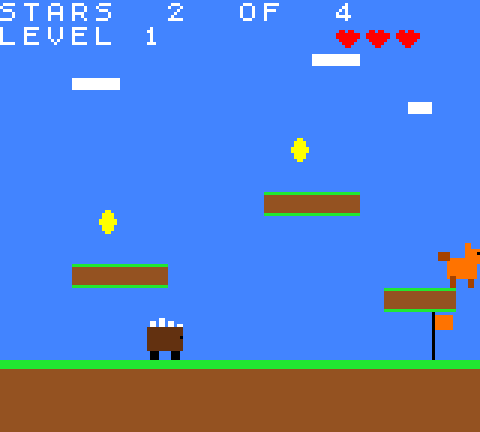
The test: five messages, one game
Everything below is from one real session on 23 November 2026, recorded in the Shiny Gen app. The prompts are copied word for word, the AI's messages are quoted from the chat, and the pictures are screenshots of the app or frames drawn by the cartridge. Nothing was edited by hand.
| Message | What we sent | Agent time | Gems |
|---|---|---|---|
| 1 | The game, with the art asked for up front | 6 min 45 s | 10 |
| 2 | "continue" | 13 s | 2 |
| 3 | "continue" | 32 s | 3 |
| 4 | A moving platform, a boss and a win screen | 2 min 38 s | 12 |
| 5 | "continue" | 20 s | 1 |
The agent works in turns with a budget of steps. When a turn ends before the job is done, it says what is left, and sending "continue" picks it up again.
Step by step: the game we made
1. Start a Game Boy Color game
Press +, choose New, then pick GBC Engine on the Choose an engine screen. In a browser, this link opens a new GBC game directly. A blank cartridge opens in the editor, and the Agent tab is where you talk to the AI.
2. Ask for the art in the first prompt
Our first prompt, exactly:
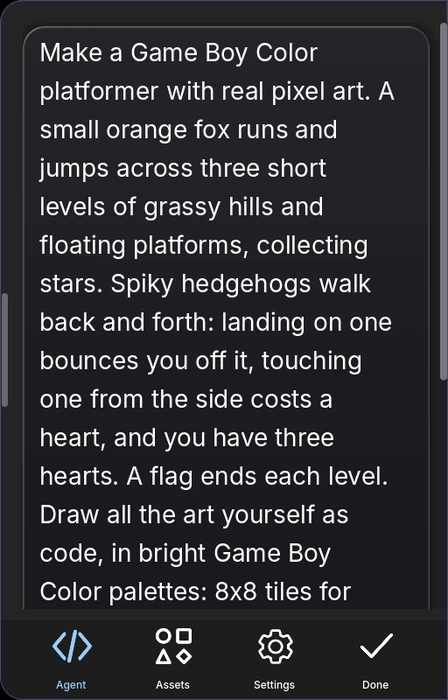
"Draw all the art yourself as code" tells the agent to write each tile and sprite as a small script it can redraw on request, rather than generating it with an image model. Asking for the art in the first prompt matters: in our GBA monster RPG test we left it out, and the first version used text characters.
3. Watch it build, play and fix
The agent read the Game Boy Color reference, wrote a first playable slice, built it and played it. Its first build came up wrong, and it found out why by reading the running hardware:
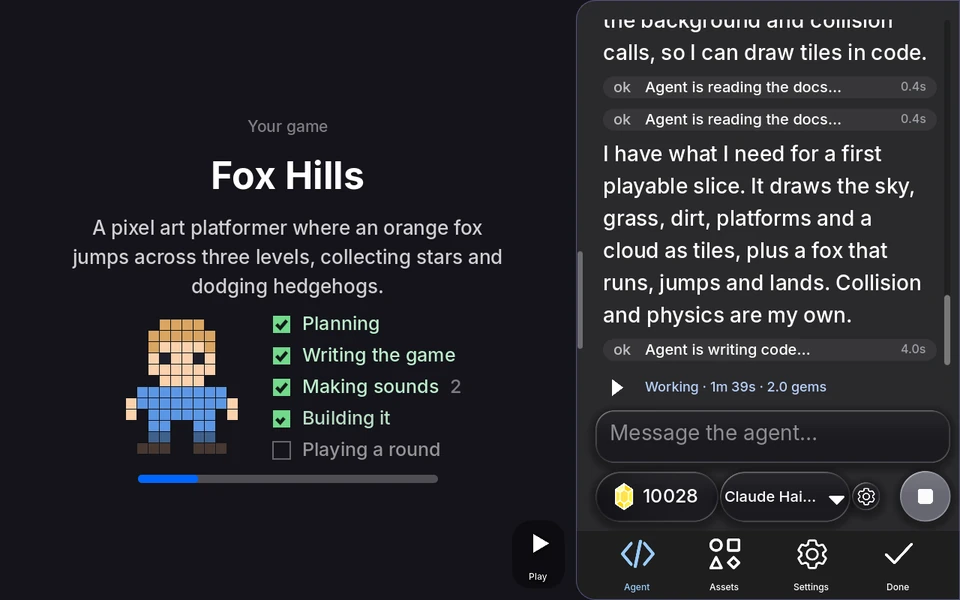
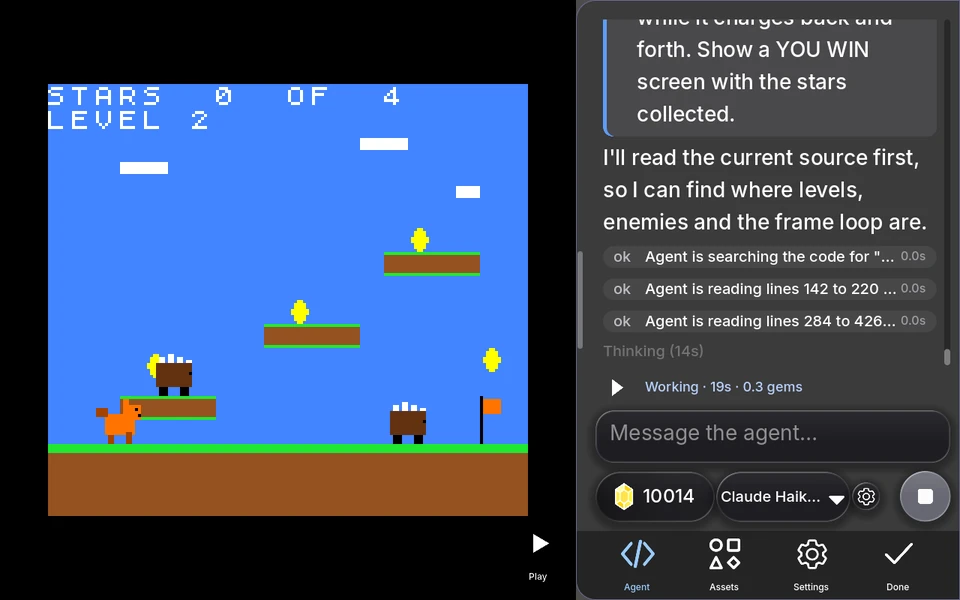
That one turn made 53 tool calls in under seven minutes: writing code, building, pressing buttons, taking screenshots and reading the game's variables. By its end the title screen, the HUD, level 1 with stars, hedgehogs and the flag, and the lives display all worked. It listed what it had not checked yet, including the pause, levels 2 and 3, and the bounce off a hedgehog.
4. Send "continue" when the turn runs out
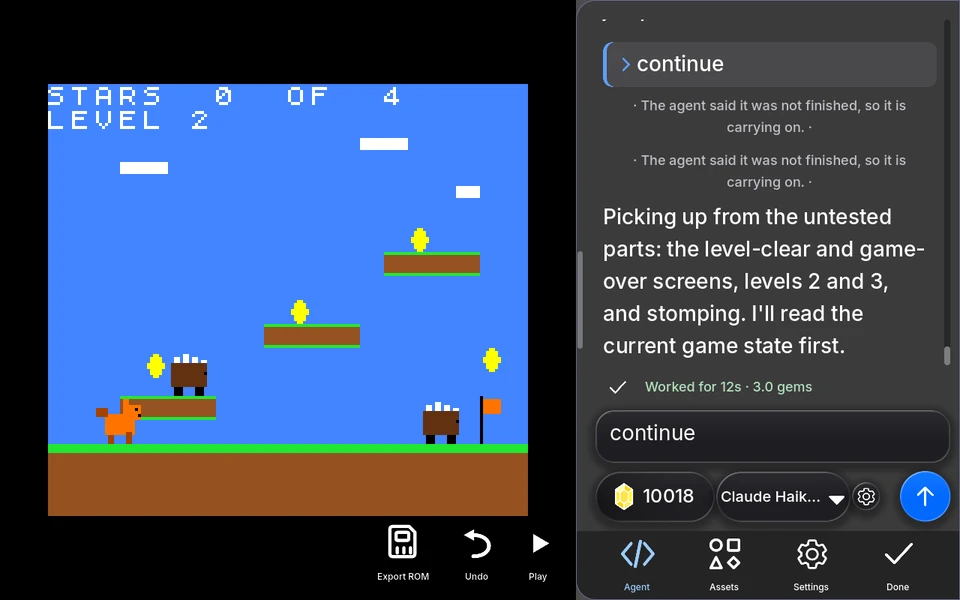
The turn ended at its budget, so we sent "continue". The first "continue" only read the game's state before the turn ended; the second one checked level 2 and the pause screen:
5. Ask for the next change
The fourth message:
Before editing, the agent found a real limit of the machine and a bug of its own:
After one more "continue", the agent paused the game clock, set the game to its win state and stepped one frame to check the screen:
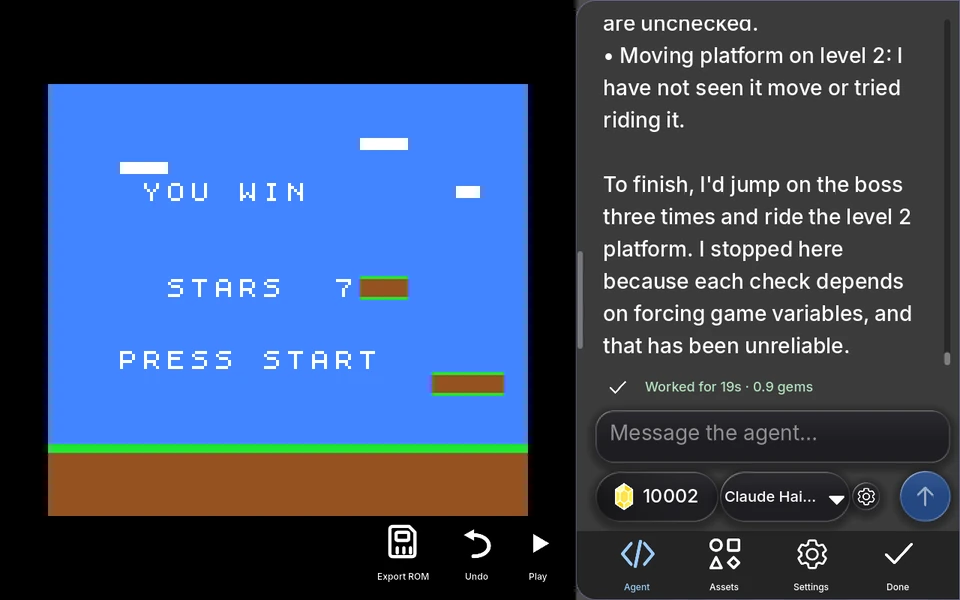
Its last message was honest about where it stopped:
The boss and the moving platform were written and built, but the agent had not stomped the boss or ridden the platform itself, so it said so. That is the point to play it yourself and tell it what you see.
6. Play it and download the ROM
The game plays in the editor and from its card: on-screen buttons on a phone, the keyboard or a controller on a computer. Press Share, then Export .gbc ROM to download the cartridge. Exporting costs $25 per game (a one-time purchase for that game), or comes with a plan, and you can re-export that game any time. The ROM guide covers emulators and flash carts; downloading is the same $25 purchase per game, or comes with a plan.
What we learned from the test
- Ask for the art in the first prompt. The very first build already drew a fox, tiles and a sky, because we asked.
- Read the last message of every turn. The agent says what it tested and what it did not. Here that was the boss and the moving platform.
- "continue" is normal. Bigger requests take more than one turn; each "continue" costs a few gems.
- Play it yourself before you call it done. The agent tests by pressing buttons and reading values, but a person playing finds the feel: jump height, enemy speed, how fair the boss is.
What to put in a platformer prompt
- The hero and what they can do: run, jump, double jump, wall jump, attack.
- The levels: how many, what they look like, what ends each one (a flag, a door, a boss).
- Enemies and hazards: how each moves and what touching it does.
- Pickups and score: stars, coins, hearts, a timer.
- Screens: title, pause, level clear, game over, win.
- Controls: the Game Boy Color has a D-pad, A, B, Start and Select, and no shoulder buttons.
- The look: tile sizes, colors, and "draw the art yourself as code" if you want it drawn by the agent.
What the Game Boy Color can hold
- Screen: 160 x 144 pixels, the same on every cartridge.
- Colors: eight background palettes and eight sprite palettes of four colors each (on sprites one is transparent).
- Sprites: 40 on screen, 8 x 8 or 8 x 16 pixels, at most ten on one line. A 16 x 16 fox is four of them, and a big boss uses many more.
- Tile memory is shared, which is exactly what the agent ran into twice above.
- Memory: about 4.5 KB for your game's variables, with 16-bit whole numbers.
- Sound: four channels, two pulse, one wave and one noise.
Every build reports how full each budget is.
Ideas to ask for next
- "Make the jump higher when I hold A longer."
- "Add a double jump."
- "Give level 3 a night palette with a moon."
- "Add a coin counter and an extra life at 50 coins."
- "Save which levels I have cleared."
FAQ
Can AI make a platformer like Mario?
Yes, a game in the same genre: a side-view platformer with running, jumping, enemies to stomp, pickups and a flag at the end, like the one on this page. Make it your own: your own hero, names and art rather than Mario's, especially if you share or sell your game. The agent drew Fox Jump's fox and hedgehogs from our description.
Can AI make a Game Boy Color game?
Yes. Pick the GBC engine in Shiny Gen and describe the game; the agent writes it, compiles a real Game Boy Color cartridge, plays it and fixes bugs. This one took five messages, about ten and a half minutes of agent time and 28 gems.
Is it a real .gbc ROM?
Yes. It is a Game Boy Color cartridge image compiled to the machine's own code. We have played Game Boy Color ROMs made this way on a Game Boy Advance and a ModRetro Chromatic through a flash cart, and any GBC emulator opens it.
Why did I have to send "continue"?
Each agent turn has a budget of steps. A whole game with art, three levels and a boss is more than one turn, so the agent says what is left and "continue" carries on.
Do I need to know how to code?
No. You describe the game and the agent writes and tests the code. You can read and edit it in the Code view, and editing it by hand costs nothing.
Is it free?
Making, playing and sharing games is free. The built-in agent and AI generation use gems, and new accounts get free gems. Downloading the ROM is a $25 purchase per game, or comes with a plan. See the pricing page.