How to make a kart racing game like Mario Kart with AI (GBA or N64)
Also in: Español · Deutsch · Français · Português · Italiano · Nederlands · Svenska · Norsk · Bahasa Indonesia · Türkçe · Polski · Tiếng Việt · Русский · 日本語 · 한국어 · 繁體中文
To make a kart racing game with AI, open Shiny Gen, start a new game on the GBA Engine for a 2D track that turns in perspective, or the N64 Engine for real 3D, and describe the race in the Agent tab: the track, the karts, the laps, the computer racers, the controls and the screens. The AI agent writes the game, compiles a real cartridge, races it and fixes what it finds. We did both for this guide. Each took one prompt and two "continue" messages, about nine minutes of agent time, and 62 gems for the GBA game or 115 for the N64 one. Both races run from the title screen to a results screen.
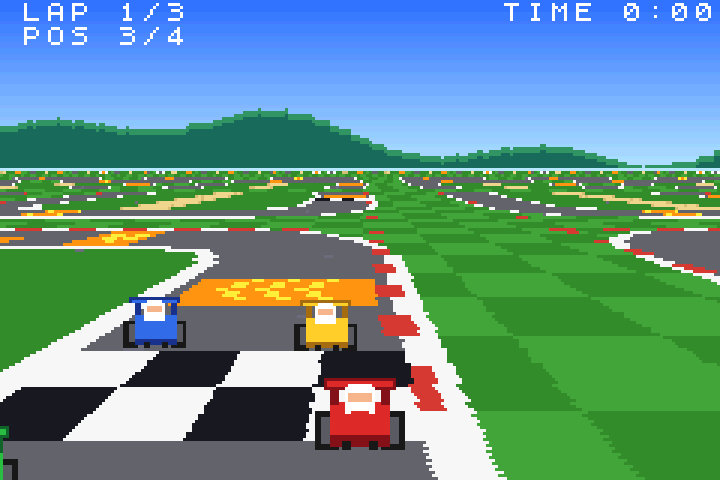
The test: two consoles, three messages each
Everything below is from two real sessions on 23 November 2026, recorded in the Shiny Gen app. The prompts are copied word for word, the AI's messages are quoted from the chat, and the pictures are screenshots of the app or frames drawn by the cartridge. Nothing was edited by hand.
| Game | Message | What we sent | Agent time | Gems |
|---|---|---|---|---|
| GBA | 1 | The race, with the art asked for up front | 7 min 35 s | 10 |
| GBA | 2 | "continue" | 49 s | 25 |
| GBA | 3 | "continue" | 1 min 9 s | 27 |
| N64 | 1 | The race | 7 min 7 s | 10 |
| N64 | 2 | "continue" | 1 min 34 s | 86 |
| N64 | 3 | "continue" | 14 s | 19 |
GBA or N64: which kart racer to make
- GBA: a 2D floor that rotates and scales line by line ("Mode 7"), with the karts as sprites. It looks like the classic handheld racers, runs on a Game Boy Advance and is drawn as pixel art.
- N64: real 3D triangles, a chase camera and hills, with a low-poly look. It runs on a real N64 through a flash cart.
Both start from the same kind of prompt; pick the look you want.
The GBA racer, step by step
1. The prompt
Press +, choose New, pick GBA Engine, and type in the Agent tab. Ours:
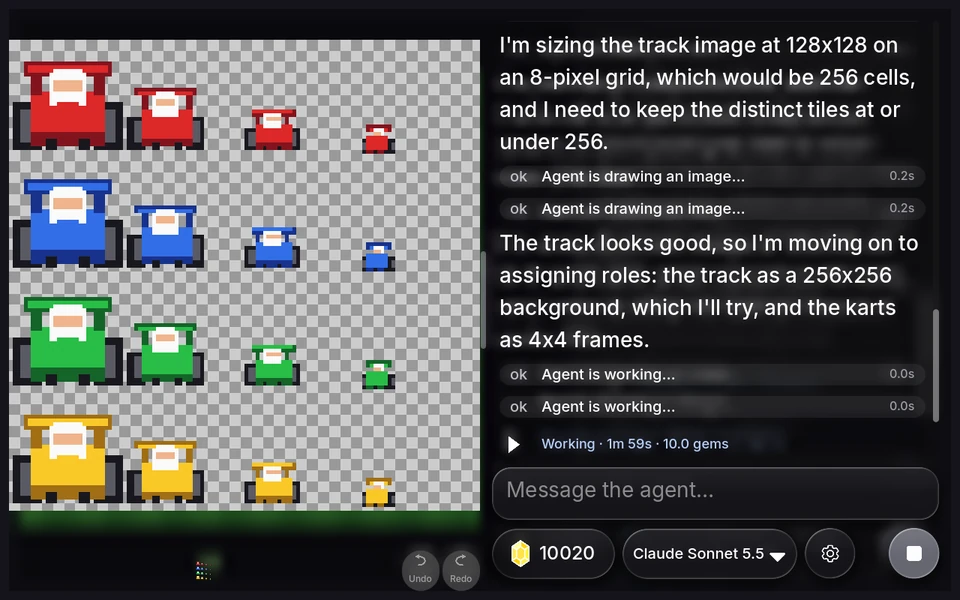
2. The art first, then the race
The agent drew the four karts and the track as code before writing the race:
3. It finds a memory bug by reading the cartridge
The first build drew the track but the karts read back as garbage. The agent probed the cartridge's memory and found the cause:
s_tab_a starts at 0x02001000 and wpx sits at 0x02001184, inside that table's range, so the line tables are overwriting the kart globals. I'll move the table declarations so they are no longer placed ahead of the kart data.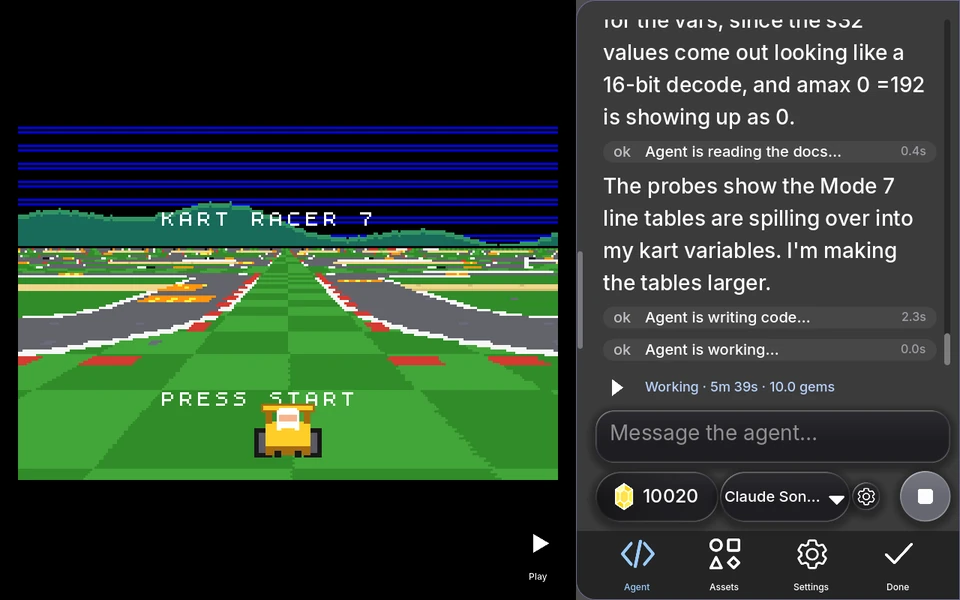
It then found that the title screen ignored Start because the game polled the keys twice a frame, fixed that, raced to the finish and checked the results:
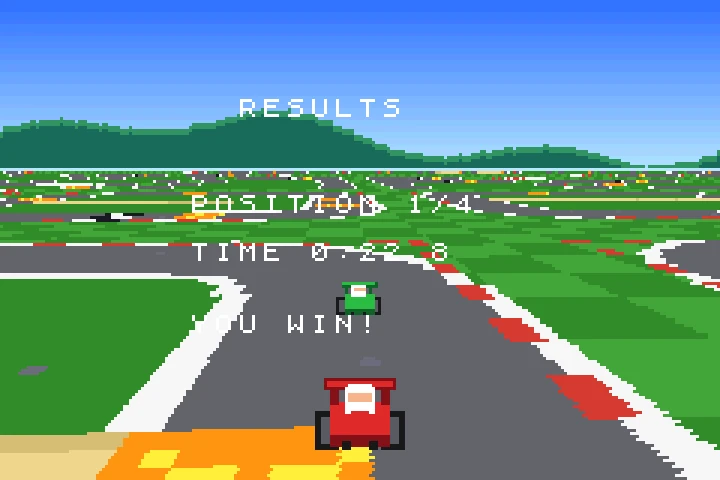
The two "continue" messages fixed a kart that stayed hidden after a race and a speed that crept up with no cap:
The N64 racer, step by step
1. The prompt
Press +, choose New, pick N64 Engine, and type:
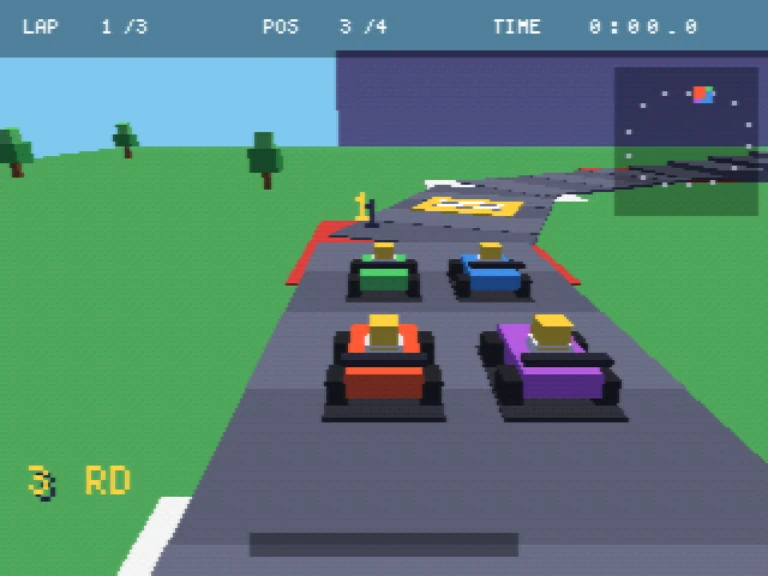
2. It keeps to the N64's budget
The N64 engine has a budget for what it can draw each frame, and it refuses a frame that goes over. The agent hit it and cut its own heads-up display down to fit:
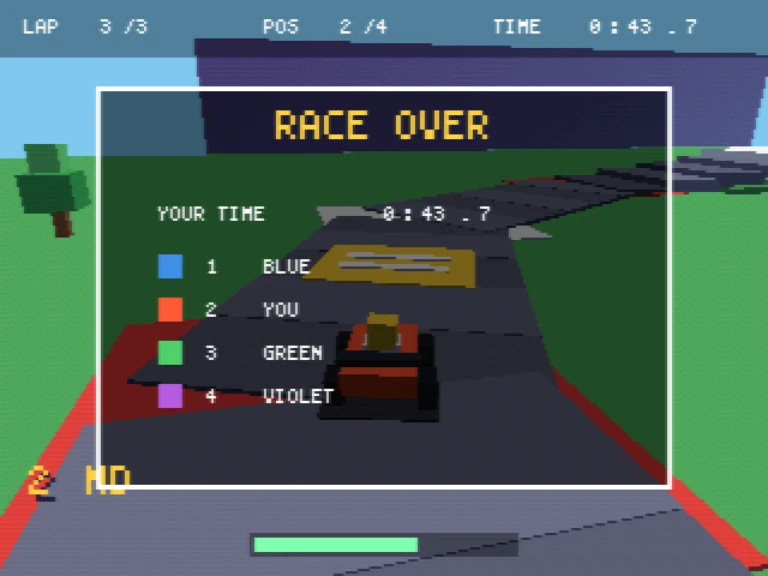
3. It tests the results screen by letting the computer drive
To check the end of a race without driving three laps itself, the agent let the computer drive its kart for one run, and found a real bug in the results:
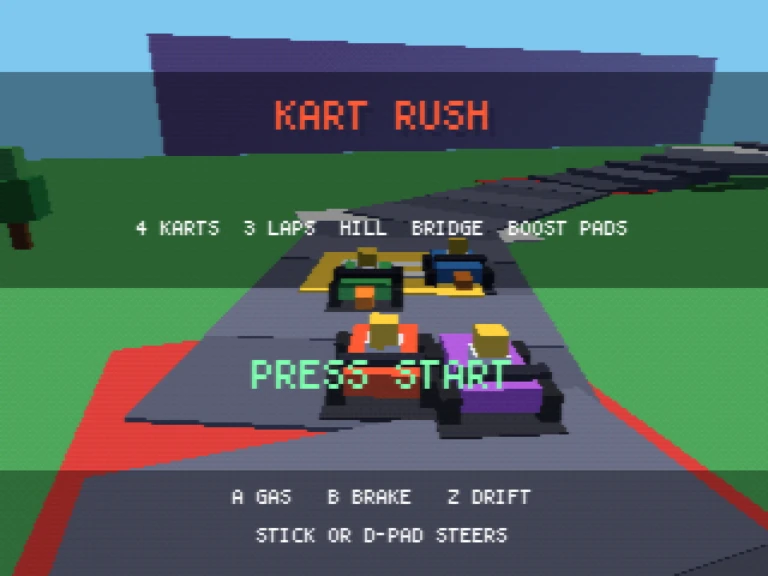
Its last message said exactly what it had checked:
Play it and download the ROM
Both games play in the editor and from their cards: on-screen buttons on a phone, the keyboard or a controller on a computer. Press Share, then the export button for the ROM. Exporting costs $25 per game (a one-time purchase for that game), or comes with a plan, and you can re-export that game any time. The GBA ROM plays in any GBA emulator and on a Game Boy Advance through a flash cart; the N64 ROM plays on a real N64 through a flash cart, or in ares or another low-level emulator. The ROM guide covers both; downloading is the same $25 purchase per game, or comes with a plan.
What we learned from the test
- Ask for the art in the first prompt, and say "draw the art yourself as code" for pixel art the agent draws.
- Racing games need a finish to test. The agent used a shortcut to reach the results screen fast (letting the computer drive its kart), and it said so. Race a full lap yourself.
- "continue" is normal. Each session took one prompt and two "continue" messages.
What to put in a kart racing prompt
- The track: its shape, surfaces (road, grass, sand), shortcuts, boost pads, bridges and hills.
- The racers: how many, their colors, how well the computer drives.
- The race: laps, the countdown, positions, a timer, what happens at the finish.
- Controls: accelerate, brake, steer, drift, items.
- Screens: title, countdown, results, pause.
What each console can hold
- GBA: 240 x 160 pixels, a Mode 7 floor that turns and scales, up to 128 sprites of up to 64 x 64, palettes of 16 colors, 256 KB of working memory.
- N64: 320 x 240 at 30 frames a second, about 2,970 flat-shaded or 1,500 to 1,700 textured triangles a frame, textures of up to 64 x 64. A frame over budget is refused, as the agent found.
Ideas to ask for next
- "Add item boxes that give a speed boost or a shell to throw."
- "Add a second track and a track select screen."
- "Make the computer karts harder on lap 3."
- "Add a ghost of my best lap."
- "Add a two-player split screen." (N64)
FAQ
Can AI make a game like Mario Kart?
Yes, a game in the same genre: a kart racer with laps, computer racers, boost pads and a results screen, like the two on this page. Make it your own: your own karts, characters, tracks and names rather than Mario Kart's, especially if you share or sell your game.
Can AI make a 3D N64 game?
Yes. Pick the N64 engine in Shiny Gen and describe the game; the agent writes it in 3D, compiles a real .z64 ROM, races it and fixes bugs. Kart Rush took three messages, about nine minutes of agent time and 115 gems.
What is Mode 7?
A Game Boy Advance graphics mode that rotates and scales a 2D background line by line, which draws a floor that turns in perspective. Racing games use it for the track; the karts are sprites on top.
Is it a real ROM?
Yes. The GBA game is a standard .gba ROM and the N64 game a .z64 ROM. We have played GBA ROMs made this way on a Game Boy Advance and a DS Lite, and N64 ROMs on a real N64, through flash carts.
Do I need to know how to code?
No. You describe the game and the agent writes and tests the code. You can read and edit it in the Code view, and editing it by hand costs nothing.
Is it free?
Making, playing and sharing games is free. The built-in agent and AI generation use gems, and new accounts get free gems. Downloading a ROM is a $25 purchase per game, or comes with a plan. See the pricing page.