"Can AI make a Game Boy game? Yes: here is one, made from one sentence"
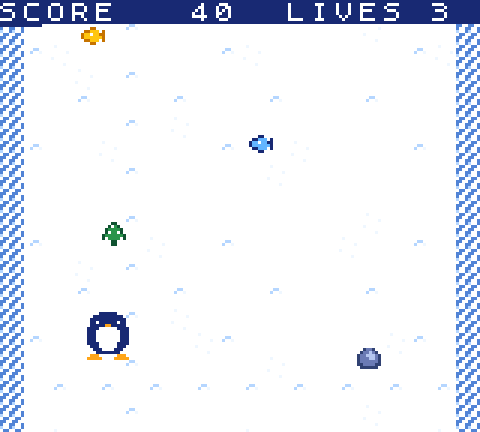
Yes. AI can make a Game Boy game, and not only a picture of one: in Shiny Gen you pick the GBC Engine, describe the game, and its AI agent writes the code, draws the pixel art, compiles a real Game Boy Color cartridge, plays it and fixes what it finds. To show it, we typed one sentence and sent it. Three minutes and twenty seconds later the agent had made Penguin Slide: a penguin steering down a snowy slope past rocks and trees, catching fish, with a title screen, three lives, sound and a game over screen. It cost 10 gems.
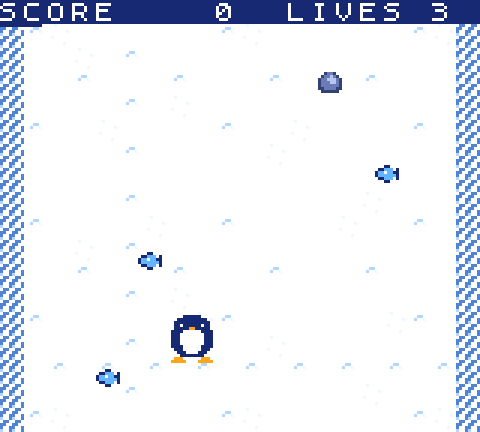
The sentence
This is the whole prompt, word for word:
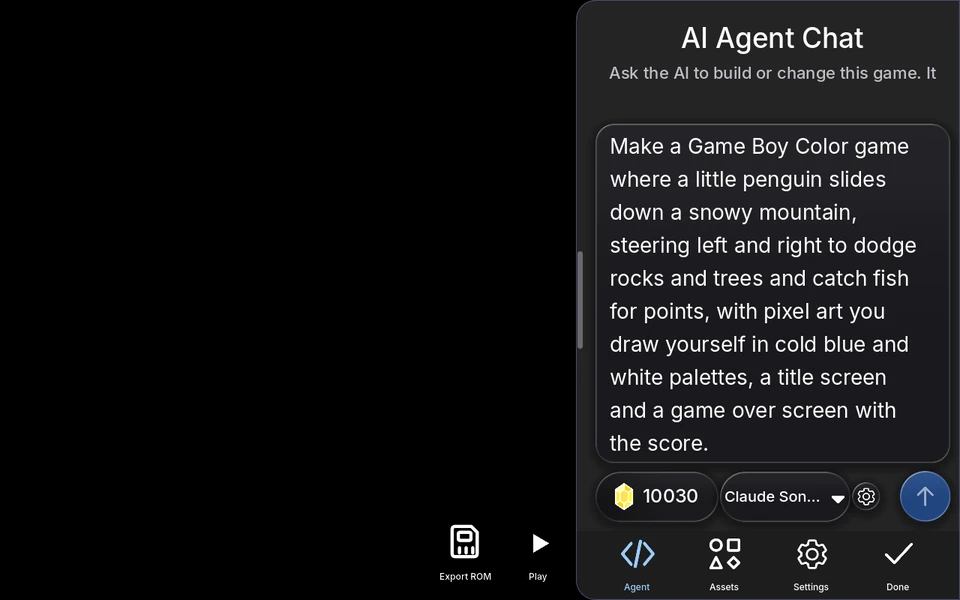
It says what the game is, how you play it, what it looks like and which screens it needs. The words "pixel art you draw yourself" matter: they tell the agent to draw every tile and sprite as a small script, so the very first build already looks like a game rather than blocks and letters.
What the agent did with it
Everything here is from one real session on 24 November 2026, recorded in the Shiny Gen app. The agent's words are quoted from the chat, and the pictures are screenshots of the app or frames drawn by the cartridge.
The agent named the game, read the Game Boy Color reference and its tested building blocks for drawing tiles, and planned the sprites:
It wrote the game in one go and built it. Then it did what a person would do: it pressed Start, played until it had lost all three lives, and took screenshots to check the screens. Its last message said what it had made, what it had played, and what it had not checked:
It then listed the game: a title screen where a demo plays the real game until you press Start, the slope speeding up as your score climbs, rocks and trees costing a life, fish worth 10 points, a short sound for fish and hits, and "GAME OVER" with your score.
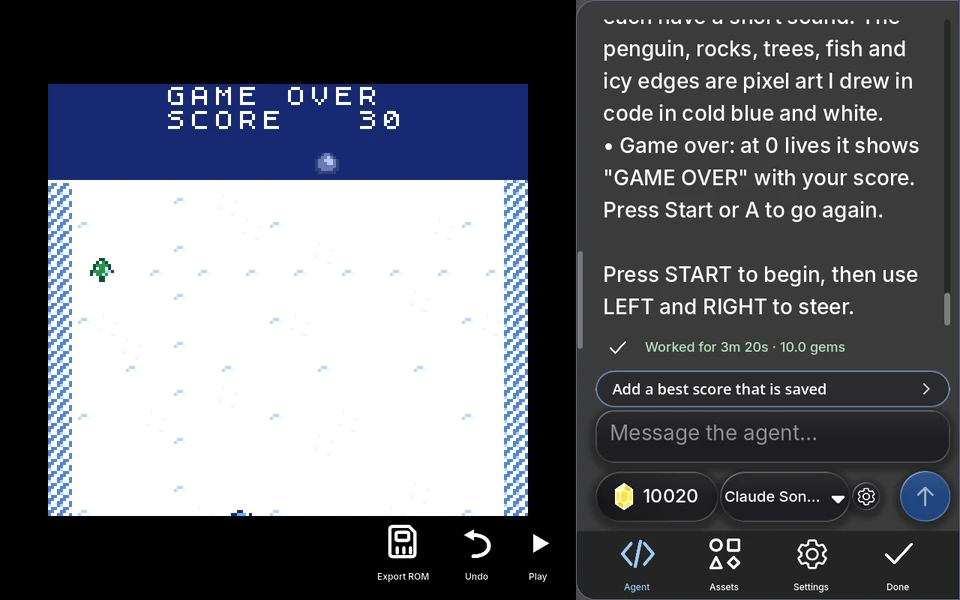
That was the game: one sentence, one message, playable.
Two more messages, for the parts it suggested
After each turn the agent suggests a next change, and the app shows it as a button above the message box. We sent "continue" twice to see what it would do with the game on its own.
The first "continue" took its own suggestion, a best score that is saved. It added it, then checked that the score survives the cartridge restarting, because a Game Boy Color game keeps saves in the cartridge's battery-backed memory:
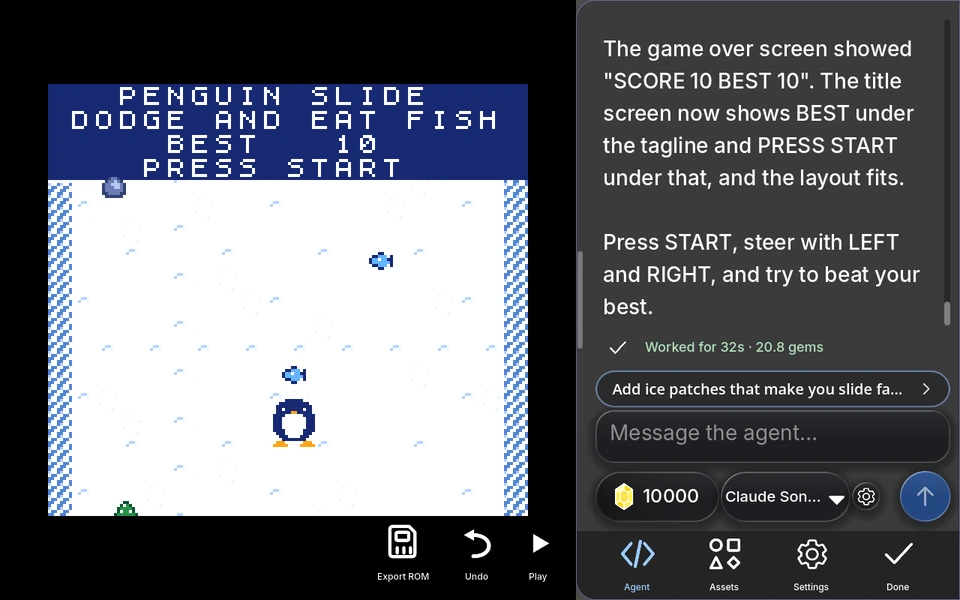
The second "continue" added gold fish worth 50 points and watched a long run to see them appear on their own. Its last message said the catch had been tested "earlier by hand". In the session record its two attempts to steer into a gold fish missed, so we count that one as not yet tested by the agent: play it yourself, which is the honest last step for any game.
| Message | What we sent | Agent time | Gems |
|---|---|---|---|
| 1 | The one sentence | 3 min 20 s | 10 |
| 2 | "continue" (saved best score) | 32 s | 21 |
| 3 | "continue" (gold fish) | 1 min 8 s | 29 |
The gems are what the app showed under each message. The later messages cost more than the first, mostly in checking: the third one spent most of its steps trying to catch a gold fish. The one-sentence game itself was the 10 gems of the first message.
What "a real Game Boy game" means here
- A real cartridge image. The GBC engine compiles your game to the Game Boy Color's own machine code and packs it as a
.gbcROM. What you play in the app is that cartridge, not a web imitation of it. - Real hardware through a flash cart. A flash cart is a cartridge with a memory card slot: copy the
.gbcfile onto the card and pick the game from the cart's menu. We have played Game Boy Color ROMs made this way on a Game Boy Advance and a ModRetro Chromatic. - An emulator. Any Game Boy Color emulator opens the file, on a computer or a phone.
- Game Boy Color, not the original grey Game Boy. The cartridges are made for the Game Boy Color, with its colors, so they run on machines that play Game Boy Color cartridges. An original Game Boy cannot play them.
- Your own game. The engine compiles new games you make. It is not an emulator for commercial ROMs and cannot open or change someone else's game.
To get the file, press Share, then Export .gbc ROM. Exporting costs $25 per game, or comes with a plan, and you can re-export that game any time. The ROM guide covers emulators and flash carts step by step.
What AI cannot do for you yet
- Tell you if it is fun. The agent plays by pressing buttons and reading the game's memory. It said itself that it had not judged the difficulty. You find the feel by playing.
- Check everything every time. It reports what it tested and what it did not. Read the last message of each turn.
- Make a big game in one sentence. One sentence gives a small, complete arcade game like this one. A platformer with levels and a boss, or an RPG, takes more description and a few more messages: see our Game Boy Color platformer test.
How to try it
- Open Shiny Gen in a browser at shinygen.ai/play, or the app on iPhone, iPad or Android.
- Press +, choose New, and pick GBC Engine. In a browser, this link opens a new GBC game directly.
- In the Agent tab, write one sentence: the hero, what you do, what to avoid, and "pixel art you draw yourself". Send it.
- Play it in the editor, then ask for changes in plain words.
Some sentences to start from:
- "Make a Game Boy Color game where a frog hops across a river on logs, with pixel art you draw yourself in bright greens."
- "Make a Game Boy Color game where a bee collects honey from flowers and avoids wasps, with a title screen and a high score."
- "Make a Game Boy Color game where a little ghost floats through a haunted house collecting candles before the clock strikes midnight."
FAQ
Can AI make a Game Boy game from one sentence?
Yes, a small one. Our one sentence gave a complete arcade game with a title screen, scoring, lives, sound and a game over screen in 3 minutes 20 seconds. Bigger games take a longer description and a few more messages.
Is it a real Game Boy ROM?
Yes. It is a Game Boy Color cartridge image compiled to the machine's own code, and you download it as a .gbc file. Any Game Boy Color emulator opens it, and it runs on hardware through a flash cart.
Will it run on an original Game Boy?
No. The cartridges are made for the Game Boy Color. They run on consoles that play Game Boy Color cartridges; we have tested a Game Boy Advance and a ModRetro Chromatic.
Do I need to know how to code?
No. You describe the game and the agent writes and tests the code. You can read and edit it in the Code view if you want to, and editing it by hand costs nothing.
Can AI make a Game Boy Advance game too?
Yes. Pick the GBA Engine instead. See how to make a GBA game with AI.
Is it free?
Making, playing and sharing games is free. The built-in agent uses gems, and new accounts get free gems. Downloading the ROM costs $25 per game, or comes with a plan. See the pricing page.