How to make Game Boy homebrew with AI (and play it on real hardware)
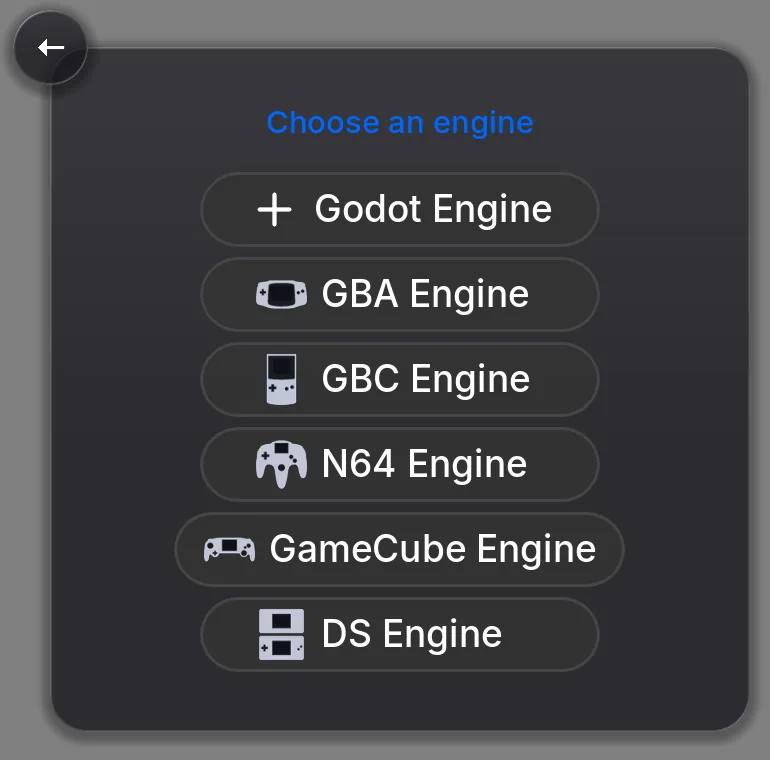
To make Game Boy homebrew with AI, open Shiny Gen (in a browser at shinygen.ai/play, or the app on iPhone, iPad and Android), press +, choose New, pick the GBC Engine, and describe the game you want. Its AI agent writes the game, compiles a real Game Boy Color cartridge, plays it to find and fix bugs, and you download the .gbc ROM, which needs any one purchase, from a $2.99 starter pack. The ROM runs in Game Boy Color emulators and on real hardware through a flash cart.
This guide explains what you actually get, how the AI part works, and how to put the result on a real handheld.
What Game Boy homebrew is
Homebrew is software people write for a game console on their own, without the console maker publishing it: original games, tools and demos, shared as small ROM files. On the Game Boy it has a long history, and it usually means learning a C or assembly toolchain, an emulator, and the hardware's limits before you see a sprite move.
Shiny Gen keeps the result and removes the toolchain. You get the same kind of thing the scene makes, a standard .gbc ROM of an original game, but you reach it by describing the game instead of writing the code. (The same idea has its own site, homebrewgamemaker.com.)
It is the original-games side of homebrew. The GBC engine compiles new games you make in Shiny Gen. It is not an emulator for other people's games, it cannot open or play commercial or third-party ROMs, and it is not a ROM-hacking tool.
What you get
- A real ROM. A standard Game Boy Color cartridge image with a valid header and a battery-backed save (32 KB), compiled to the machine's own code. Shiny Gen boots every ROM in a fresh emulator before handing it over, so a file you are given is a file that starts.
- A game you own. You own what you make and may use it commercially (Terms of Service, section 4, Content), and Shiny Gen takes no revenue share. You can sell the ROM file itself; exporting it needs any one purchase, from $2.99.
- The source. Your game is written in a small C-like language in a file called
main.sgba. You can read it and edit it by hand, which costs nothing. - Real-hardware testing. We have played Game Boy Color ROMs made this way on a real Game Boy Advance and a ModRetro Chromatic, through flash carts.
How the AI part works, in plain words
The "AI" is a coding agent. It is not a model that draws a picture of a game. It writes real code for the Game Boy Color, runs the compiler, and reads the compiler's errors (line, column, and often what to write instead) until the build passes. Then it plays the game itself: it runs the cartridge, takes screenshots of the 160 x 144 screen, presses the buttons, and reads back values the game reports, so it can tell that the hero moved instead of guessing. When something is broken, it fixes it and plays again.
It can also make the art and music. Art is fitted to the machine's four-color palettes when it goes into the cartridge, and music plays on the machine's four sound channels. Generating art and sound spends gems, which new accounts get for free. You stay in charge: keep talking to it in the same chat ("add a title screen", "the shop should close at night"), or open the Code view and change the code yourself.
From idea to ROM
- Choose the engine. Press +, choose New, pick GBC Engine. A new game opens as a blank cartridge on purpose, so the agent builds what you describe instead of a template you did not ask for.
- Describe the game. Say what kind of game it is, what the player does, the controls, the goal and the look. The Game Boy Color has a D-pad, A, B, Start and Select, and no shoulder buttons, so plan around those. For example: "A top-down farming game. A kid tends a small garden: D-pad to walk, A to water or harvest, B to open the seed bag, Start to pause. Save at the bed."
- Let it build and test. Every build reports how full the cartridge is (code, memory, stack, video tiles and palettes), so you see a limit coming.
- Play it. It plays in the editor and from your game's card, with on-screen controls on a phone, or arrow keys, Z, X, Enter and Shift on a computer.
- Download the ROM. Press Share, then Export .gbc ROM. This needs any one purchase, from a $2.99 starter pack; without one, the button takes you to the store. In a browser the file downloads, and in the iPhone and iPad app it goes to the Save to Files sheet. The Android app does not offer the export yet, so use a browser, with the same account and the same one purchase.
Play it on real hardware
A flash cart is a cartridge with a memory card slot. You copy ROM files onto the card, and the cart shows a menu of them when the console turns on. For a .gbc ROM:
- Copy the
.gbcfile onto the cart's SD or microSD card. Some carts need their own system files on the card first. - Put the card in the cart and the cart in the console.
- Turn it on and pick your game from the cart's menu.
The ROM declares a battery-backed save in its header, which carts and emulators read on their own, so saves work the way they do on an original cartridge. Your own in-app save is not in the file, so a copy you give someone starts fresh. Your cart's manual has the exact steps.
If you have a ModRetro Chromatic, you can skip the card: on the Chromatic choose SYSTEM, DOWNLOAD, RECEIVE GAME to see a six-character code, then in Shiny Gen press Share, then Send to my Chromatic, and type the code. Sending your own game needs the same one purchase as the export, and sending replaces the game and the save on the Chromatic's cartridge.
To play without hardware, any Game Boy Color emulator opens the file. If you would rather have a finished physical copy, the cartridge page covers having your game put on a real cart with its own label.
What suits the machine, and the limits
Games built from tiles and small sprites suit the Game Boy Color: top-down adventures and RPGs, farming and life games, platformers, puzzle games, arcade games and small fighters. You can play our own Game Boy Color games free in the browser and remix any of them, for example Shiny Village Color and Shiny Fighter Color.
The engine is bounded the way the real machine is:
- A small screen and few colors. 160 x 144 pixels, with eight background palettes and eight sprite palettes of four colors each. Detailed art comes back simplified.
- Few sprites and little memory. 40 sprites on screen, and about 4.5 KB for your game's variables. There is no floating point.
- Four sound channels: two pulse, one wave and one noise.
- No 3D. For 3D, pick the N64, GameCube or DS engine on the same screen.
- New games only. It cannot open a ROM someone else made, and you cannot import a ROM to edit.
- Real hardware: proven on a Game Boy Advance and a ModRetro Chromatic through flash carts. We do not claim other consoles we have not tested.
If you want a bigger screen and more colors, the same workflow makes Game Boy Advance games: see how to make a GBA homebrew ROM with AI. The full Game Boy Color guide covers every step in more detail.
FAQ
Can AI make Game Boy homebrew?
Yes. In Shiny Gen you choose the GBC engine and describe the game; the AI agent writes the code, compiles a real Game Boy Color cartridge, plays it with the buttons to find bugs, and fixes them. You can download the .gbc ROM after any one purchase, from $2.99.
What is a homebrew ROM?
A ROM file of an original game that someone made themselves for a console, rather than a game the console maker published. In Shiny Gen it is a .gbc or .gba file the AI agent compiled from your description.
Will it run on a real Game Boy?
It is made to. We have played Game Boy Color ROMs made this way on a real Game Boy Advance and a ModRetro Chromatic through flash carts. Any console that plays Game Boy Color cartridges should run it from a flash cart, but we only claim what we have tested.
Do I need a flash cart?
Only for real hardware. An emulator, such as mGBA on a computer or Delta on an iPhone, opens the file with nothing else. With a ModRetro Chromatic you can also send the game over Wi-Fi.
Do I need to know how to code?
No. You describe the game and the agent writes and tests the code. You can read and edit the code in the Code view if you want to; editing it by hand costs nothing.
Can it play Pokemon or other commercial ROMs, or hack them?
No. The GBC engine compiles new games you make in Shiny Gen. It is not an emulator for other games, not a ROM loader and not a ROM-hacking tool, and it cannot open commercial or third-party ROMs.
Is it free?
Making, playing and sharing games is free. AI generation and the built-in agent use gems, and new accounts get free gems. Downloading the ROM needs any one purchase, from a $2.99 starter pack. The full list is on the pricing page.