Shiny Gen vs the ModRetro Chromatic plugin for Codex: which is the better way to make Game Boy Color games with AI?
Short answer: for most people, Shiny Gen is the better way to make a Game Boy Color game with AI. It runs in a browser or on a phone with nothing to install, it makes Game Boy Advance games as well, its AI makes the art, music and sound effects and tests the game on its own, and you can put the result on a ModRetro Chromatic over Wi-Fi or on any flash cart. The ModRetro Chromatic Plugin for OpenAI Codex is the better pick if you are a developer who wants a GB Studio project on your own computer that you keep editing by hand, and who wants to install games on a Chromatic over USB from that same computer.
Both are real: both make actual Game Boy Color ROMs, not videos or mock-ups. This post compares them on the things that decide which one suits you. Everything said about the plugin comes from public sources, listed at the end with their dates; the plugin's own code is not public.
What each one is
The ModRetro Chromatic Plugin for OpenAI Codex is a plugin made by OpenAI and ModRetro and shown at OpenAI DevDay 2026, for making games for ModRetro's Chromatic handheld. You install it in Codex, in the ChatGPT desktop app, open a local project folder and describe a game; Codex sets up the build tools and makes the game. OpenAI's guide centres on GB Studio projects, which you can also open and edit in the GB Studio editor, and it can also compile plain C with GBDK. OpenAI's showcase page has 13 Game Boy Color games made with Codex that you can play in the browser.
Shiny Gen is an AI game maker that runs in a browser at shinygen.ai/play and as an app on iPhone, iPad and Android. You pick the GBC Engine (or the GBA Engine), describe the game, and its AI agent writes the game, builds a real cartridge, plays it to find bugs and fixes them. The cartridge is built inside the app, on your phone or in your browser, so there is nothing to download or set up.
Side by side
| Shiny Gen | ModRetro Chromatic plugin for Codex | |
|---|---|---|
| Where you use it | Browser, iPhone, iPad, Android. Nothing to install | Codex in the ChatGPT desktop app, with a project folder on your computer and build tools it installs |
| Consoles | Game Boy Color and Game Boy Advance (plus N64, GameCube and DS engines) | Game Boy and Game Boy Color |
| What you get | A real .gbc or .gba ROM (downloading it needs any one purchase, from $2.99) and the game's code, which you can edit in the app | A GB Studio project you can keep editing in GB Studio, and its ROM |
| Art | Any picture, drawn, generated or uploaded, is fitted to the console's colors automatically; small sprites are drawn pixel by pixel | Sprite sheet view and collision map view beside the scene |
| Music and sound effects | The AI makes them | Not covered in OpenAI's guide; audio files go in the project's assets folder |
| Cartridge limits | Every build shows how full the cartridge is; code the console cannot run is refused with the reason | Handled by the GB Studio or GBDK build |
| How the AI tests | Plays with the buttons, sees which sprites flicker and why, reads the game's values by name, looks at several frames at once, saves and returns to a moment | Runs the ROM, sends button presses and captures a frame after each step |
| Pointing at the screen | Not available: you describe what you saw in the chat | Freeze a frame, select a sprite, tile or area, describe the change |
| On a ModRetro Chromatic | Send over Wi-Fi with a six-character code, or use any flash cart | Install over USB with a compatible rewritable cartridge, after turning on Developer Mode |
| Cost | Free to make and play; the AI uses gems, and new accounts get free gems | Uses your Codex access; the Chromatic Codex Edition was listed at $200 with one cartridge |
Where Shiny Gen is better
- Nothing to set up, and it works on a phone. Open a browser or the app and start. There is no desktop app, no project folder and no toolchain download. The whole game, from the first prompt to a cartridge you can play, can be made on an iPhone or an Android phone.
- Game Boy Advance too. The same chat makes GBA games, with a bigger screen, more colors and sampled sound. The plugin covers Game Boy and Game Boy Color.
- The machine's limits are enforced, not just described. Every build reports how full the cartridge is (code, memory, video tiles and palettes), so a limit shows up before it bites. If the code asks for something the console cannot do, such as floating point math, the build stops and says what and where.
- Any picture becomes legal Game Boy Color art. Shiny Gen fits art to the console's palettes for you, and the image editor previews what the cartridge will show. Small sprites are drawn pixel by pixel, so a 16 x 16 character comes out clean and readable, and green characters such as a slime, a frog or a cactus keep their green.
- Music and sound effects are included. The AI writes the music and effects and they play on the console's own sound channels.
- The AI tests like a careful player. It plays the game with the buttons and looks at the screen, and it can also see exactly which sprites flicker and why (too many on one line), check the colors and the map the console is really showing, read the game's own values by name (a score, a health bar, the current level), look at several frames of one moment in a single picture to catch flicker and animation bugs, and save a moment and come back to it, so testing a boss fight does not mean replaying from the title screen. That covers what the plugin's emulator tools are known for, and in Shiny Gen it works the same on a phone, a computer and the web, for GBC and GBA games.
- A Chromatic without cables. On a ModRetro Chromatic with Shiny Relay installed, choose SYSTEM, DOWNLOAD, RECEIVE GAME, then in Shiny Gen press Share, then Send to my Chromatic, and type the six-character code. Sending your own game needs any one purchase, and it replaces the game and the save on the Chromatic's cartridge. You can also copy the ROM to any flash cart; we have played Game Boy Color ROMs made this way on a real Game Boy Advance and a ModRetro Chromatic.
- No hardware to buy. Making and playing is free in the browser and the app, and the ROM runs in any Game Boy Color or Game Boy Advance emulator.
Where the plugin is better
- A GB Studio project you own on your computer. The result is a normal GB Studio project. You can open it in GB Studio, a mature visual editor with a large community, and keep working on scenes, actors and events by hand, with or without the AI. A Shiny Gen game's code can be read and edited in Shiny Gen, but it is not a GB Studio project.
- GB Studio's ready-made parts. GB Studio already has scenes, actors, dialogue and events, which suit story games and adventures.
- Point at the screen. You can freeze a frame, select a sprite, tile or area and describe the change. In Shiny Gen you describe what you saw in words.
- Made with the hardware maker. ModRetro builds the Chromatic, and the plugin installs games on it over USB from your computer.
- If you already live in Codex. Developers who already use Codex on their own projects get Game Boy development in the same tool, in a folder they can put under version control.
Who should pick which
- You want to make a Game Boy Color or GBA game and have never used a toolchain: Shiny Gen.
- You are on a phone or a tablet, or on a computer where you cannot install software: Shiny Gen.
- You want music and sound effects made for you: Shiny Gen.
- You want to play it on a Chromatic, a Game Boy Advance or a flash cart: either; Shiny Gen also sends to a Chromatic over Wi-Fi.
- You want a GB Studio project to keep editing by hand on your computer: the plugin.
- You already use Codex every day and want your game in a local folder: the plugin.
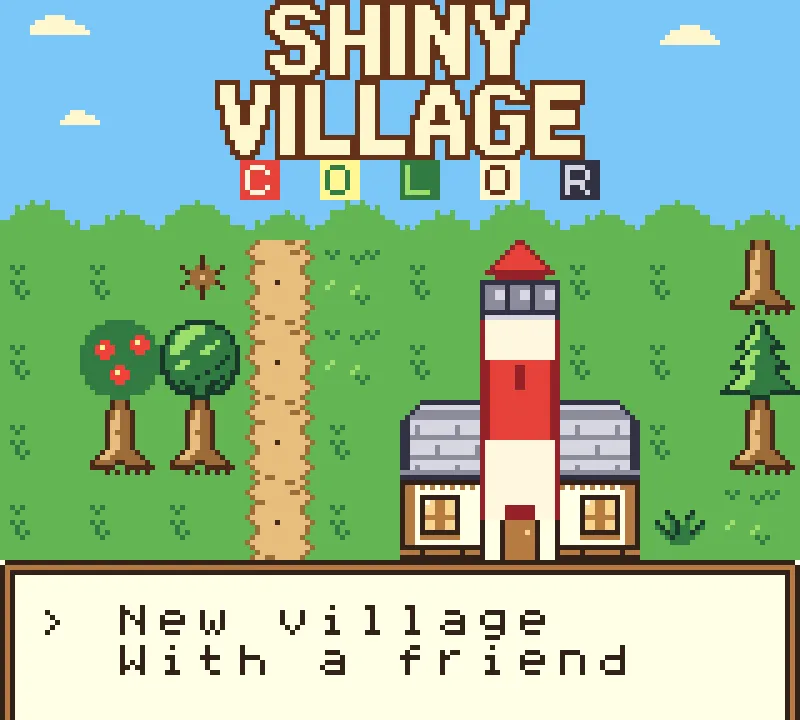
You can try Shiny Gen's Game Boy Color games free in the browser and remix any of them, for example Shiny Village Color and Shiny Fighter Color. The Game Boy Color guide and the GBA guide walk through every step.
FAQ
What is the ModRetro Chromatic plugin for Codex?
A plugin for OpenAI Codex, made by OpenAI and ModRetro and shown at OpenAI DevDay 2026, that helps you make Game Boy Color games for ModRetro's Chromatic handheld. It runs in Codex in the ChatGPT desktop app, works mainly with GB Studio projects, previews the game in Codex's built-in browser, and installs it on a Chromatic over USB once Developer Mode is turned on.
Is Shiny Gen better than the ModRetro Codex plugin for making Game Boy Color games?
For most people, yes: Shiny Gen needs no install and works on a phone or in a browser, also makes GBA games, makes the art, music and sound effects, enforces the console's limits on every build, and sends games to a Chromatic over Wi-Fi. The plugin is the better choice if you want a GB Studio project to keep editing by hand on your own computer.
Do I need a ModRetro Chromatic to use either one?
No. Both make ROMs that run in emulators. Shiny Gen games also play in the browser and in the app, and its ROMs run on flash carts. To install a game on a Chromatic, the plugin needs a compatible rewritable cartridge, a USB cable and Developer Mode; Shiny Gen sends it over Wi-Fi with a code, or you use a flash cart.
Can I make a Game Boy Color game on my phone with AI?
Yes, with Shiny Gen. Open the app on iPhone, iPad or Android (or shinygen.ai in a phone browser), choose the GBC Engine and describe the game. OpenAI's guide for the plugin describes the ChatGPT desktop app and a project folder on a computer.
Can either make Game Boy Advance games?
Shiny Gen can: pick the GBA Engine and you get a real .gba ROM (downloading it needs any one purchase, from $2.99). OpenAI's guide for the plugin covers Game Boy and Game Boy Color only.
Can I open a Shiny Gen game in GB Studio?
No. Shiny Gen games are written in its own small C-like language, which you can read and edit in the app. If a GB Studio project is what you need, the plugin is the better fit.
Is Shiny Gen free?
Making, playing and sharing games is free. The AI uses gems, and new accounts get free gems. Downloading the ROM needs any one purchase, from a $2.99 starter pack. The full list is on the pricing page.
Sources
Checked on 16 November 2026.
- OpenAI, guide to building a game for the ModRetro Chromatic with Codex: installing in Codex in the ChatGPT desktop app, GB Studio projects, GBDK and RGBDS, the browser preview, annotation, collision maps, sprite sheets, automated playtest, and installing on a Chromatic (a compatible rewritable homebrew cartridge, a USB data cable, Developer Mode; writing a game erases the cartridge's game and can erase its saves, with no backup).
- OpenAI, ModRetro showcase: 13 Game Boy Color games built with Codex, which you can play in the browser.
- Generation Amiga, Chromatic gets OpenAI Codex support for creating Game Boy Color games (30 September 2026): the OpenAI and ModRetro collaboration shown at DevDay 2026.
- explainx, article on the ModRetro Chromatic: Codex Edition (10 November 2026): the Codex Edition bundle at $200 with one programmable cartridge, on OpenAI Supply Co.